
Binary Translator Convert Binary to Text and Text to Binary
A binary translator converts readable text into binary and binary data back into text. It helps you understand how computers represent information using 0 and 1.
Use the tool above to switch between Text → Binary Translator and Binary → Text. Choose Encode to turn text into binary. Choose Decode to convert binary back into readable text.
You can also select the character encoding supported by the tool. ASCII works well for basic English characters. UTF-8 supports a much wider range of languages and symbols.
The tool also includes useful controls. You can clear your input, copy the result, or swap the conversion direction. These features make quick conversions easier.
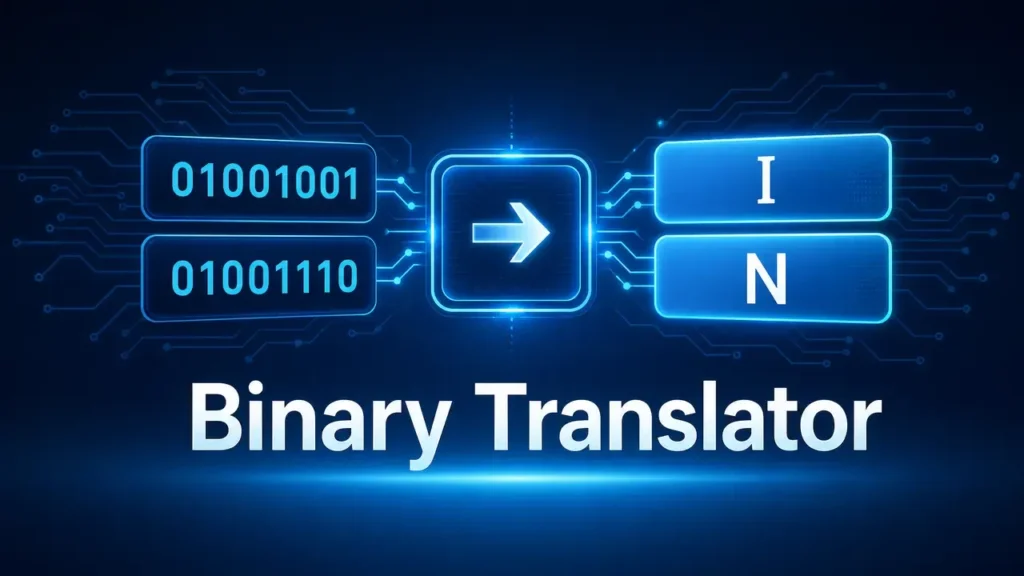
A binary converter does more than change numbers. It helps explain how digital systems store and process text. Each character follows a specific encoding before the tool represents it as binary.
For example, the letter A has the ASCII value 65. Its 8-bit binary representation is 01000001.
Remember that binary is not a human language. It is a base-2 number system used to represent digital information.
What Is a Binary Translator?
A binary translator converts information between readable text and binary representation. Binary uses only two digits, 0 and 1, to represent digital data. Computers rely on binary because electronic circuits can work with two clear states. A binary translator can convert text into binary or turn binary data back into readable text. For example, the letter A has the ASCII value 65, which commonly appears as 01000001 in 8-bit binary. However, binary does not work like a human language. It does not directly translate into English or another spoken language. Instead, a character encoding system gives binary data meaning. The basic process follows Text → Character Encoding → Bytes → Binary Representation. The reverse process follows Binary → Bytes → Character Encoding → Text. Binary itself uses the base-2 number system, while everyday numbers use base 10. A single binary digit is called a bit, and eight bits commonly form one byte. This distinction matters because not every binary sequence represents readable text. The correct character encoding must match the original data.
How Does a Binary Translator Work?
A binary translator follows a clear process to convert text and binary data. The process depends on the selected character encoding. It can convert ordinary text into binary or decode binary back into readable text.
Step 1 — Enter Text or Binary
First, enter the content you want to convert. You can enter normal text for encoding. You can also enter binary digits for decoding. The translator then checks the input format before processing it.
Step 2 — Identify the Encoding
The translator needs a character encoding to interpret text correctly. ASCII assigns numeric values to common English characters and symbols. UTF-8 supports Unicode characters from many languages and writing systems. Unicode provides a universal system for representing characters across different languages.
Step 3 — Convert Characters Into Bytes
The selected encoding maps each character to one or more bytes. A byte contains eight bits. ASCII characters commonly fit within one byte. UTF-8 may use multiple bytes for some characters.
Step 4 — Represent Each Byte as Binary
The translator represents each byte using binary digits. For example, the letter A uses the ASCII value 65. Its common 8-bit binary representation is 01000001.
The reverse process works differently but follows the same principle:
Binary → Bytes → Character Encoding → Text
The translator groups the binary digits into bytes. It then interprets those bytes using the selected encoding. This produces readable characters when the binary data and encoding match.
Binary to Text Translator
A binary to text translator converts binary sequences into readable characters. It helps you convert binary to text when the data uses a compatible character encoding. You can also use it to translate binary code to text or decode a binary string. The process usually works with groups of eight bits when the data represents ASCII characters.
How to Convert Binary to Text
Follow these simple steps:
- Enter the binary sequence into the translator.
- Separate the digits into suitable groups.
- Check the character encoding used by the original data.
- Convert each binary group into its decimal value.
- Match each value with the corresponding character.
- Join the characters to form readable text.
Example: Binary to Text
Consider this binary message:
01001000 01101001
Separate the message into two 8-bit groups:
01001000 → H
01101001 → i
The resulting characters become:
H i
Remove the spacing between the characters:
Hi
Here, each group contains eight binary digits. Each group represents one byte. Under ASCII, 01001000 equals decimal 72, which represents H. Similarly, 01101001 equals decimal 105, which represents i.
How 8-Bit Binary Characters Work
An 8-bit group contains eight binary digits. Eight bits make one byte. ASCII characters commonly use one byte when stored in an 8-bit form. Each byte has a decimal value from 0 to 255.
Text to Binary Converter
A text to binary converter changes readable text into binary representation. This process helps show how computers represent characters using digital data. You can convert text to binary by applying a character encoding such as ASCII or UTF-8. The encoding first maps each character to a defined value. The converter then represents the resulting bytes with 0s and 1s.
How to Convert Text Into Binary
The process follows four simple steps:
- Enter the text you want to convert.
- Choose the character encoding, such as ASCII or UTF-8.
- Convert each character into its encoded byte sequence.
- Represent each byte as binary digits.
Example: “Hello” in Binary
Using standard ASCII values, each character maps to one byte:
- H → 72 → 01001000
- e → 101 → 01100101
- l → 108 → 01101100
- l → 108 → 01101100
- o → 111 → 01101111
Therefore:
Hello
becomes:
01001000 01100101 01101100 01101100 01101111
Text-to-Binary Conversion Formula
The conversion follows this relationship:
Character → Code Point/Encoding → Byte → Binary
This process is more accurate than saying every character always becomes eight bits. ASCII characters commonly fit within one byte. UTF-8 can use multiple bytes for many Unicode characters. Each byte then receives its binary representation.
Binary to ASCII Converter
A binary to ASCII converter changes binary values into readable ASCII characters. It helps you decode binary strings and understand how computers represent basic text. You can use a binary to ASCII converter online to process binary data quickly. The tool reads binary groups, converts their values, and matches them with ASCII characters.
What Is ASCII?
ASCII stands for American Standard Code for Information Interchange. It assigns numeric values to common characters. These include letters, numbers, punctuation marks, and control characters. Standard ASCII uses values from 0 to 127.
For example, the uppercase letter A has the decimal value 65. Its binary representation is 01000001.
How Binary Represents ASCII Characters
A binary sequence can represent an ASCII character through its numeric value. A common format uses eight bits for each ASCII character. The first bit may remain zero for standard ASCII values.
The process works like this:
Binary → Decimal Value → ASCII Character
For example:
01001000 → 72 → H
Binary ASCII Example
Consider this binary sequence:
01001000 01101001
The first byte equals 72, which represents H. The second byte equals 105, which represents i.
Therefore:
01001000 01101001 → Hi
ASCII vs Binary
Binary and ASCII are not the same thing.
Binary is a representation system. It uses 0 and 1 to represent data.
ASCII is a character encoding. It assigns numeric values to specific characters.
So, ASCII can use binary to represent characters, but binary itself does not define those characters. This distinction helps prevent errors when decoding binary text.
Binary and UTF-8
UTF-8 plays an important role when binary data represents modern text. A binary to UTF-8 converter interprets bytes according to UTF-8 rules. This allows binary data to represent characters from many writing systems. UTF-8 works with Unicode, which provides a standard way to represent characters across languages.
What Is UTF-8?
UTF-8 means Unicode Transformation Format – 8-bit. It is a variable-length character encoding. UTF-8 can represent every Unicode character using one to four bytes. It also keeps standard ASCII values unchanged.
This makes UTF-8 useful for English and international text.
How UTF-8 Uses Bytes
UTF-8 stores text as sequences of bytes. Each byte contains eight bits. The number of bytes depends on the character.
Basic ASCII characters use one byte. Other Unicode characters may require two, three, or four bytes.
For example, the letter A uses the same byte in ASCII and UTF-8:
01000001
The encoding therefore connects characters with specific byte sequences. Those bytes can then appear as binary digits.
Why UTF-8 Characters May Need Multiple Bytes
UTF-8 supports far more characters than basic ASCII. It can represent accented letters, Arabic, Urdu, Chinese, emojis, and many other symbols.
A character outside the ASCII range may require multiple bytes. Therefore, you should not assume every character equals eight binary digits.
ASCII vs UTF-8
| Feature | ASCII | UTF-8 |
| Character coverage | Limited | Full Unicode range |
| Typical encoding size | 1 byte | 1–4 bytes |
| English text | Yes | Yes |
| Global languages | Limited | Yes |
| Web compatibility | Legacy character set | Widely used |
Binary Code Translator
A binary code translator converts binary sequences into readable information when the correct encoding is known. You can use a binary code translator online to decode text, inspect binary strings, or understand simple digital representations. It can also work as a binary message decoder when the input contains encoded text.
What Is Binary Code?
Binary code uses only two digits: 0 and 1. These digits form patterns that represent digital information. Computers use binary because electronic systems can work with two distinct states.
Binary can represent many types of data. These include text, numbers, images, audio, and program instructions.
How Binary Code Represents Data
Binary does not give every sequence a universal meaning. Its meaning depends on how software interprets the data.
For text, a character encoding connects bytes with characters. ASCII can represent basic English characters. UTF-8 can represent characters across the Unicode standard.
For example:
01001000
represents H when interpreted as an ASCII byte.
The same binary digits could have a different meaning under another data format.
Binary Code vs Machine Code
Binary code and machine code often appear together, but they are not identical concepts.
Binary code describes information represented with 0s and 1s.
Machine code contains instructions that a processor can execute.
A binary sequence can represent text without containing executable instructions. Machine code, however, follows the instruction set of a specific processor.
Can Binary Code Be Translated Into English?
Yes, but only when the binary contains text encoded with a compatible character encoding.
A binary code to English conversion therefore needs context. The translator must know how to interpret the binary data.
The basic process is:
Binary → Bytes → Encoding → Characters → Readable Text
Without the correct encoding, binary may produce incorrect characters or unreadable output. Not every binary sequence contains English text.
Binary Decoder
A binary decoder interprets binary data and converts it into a meaningful format. A binary decoder online can quickly process binary strings and display readable text when the data uses a supported encoding. It can also help decode simple binary messages for learning, testing, and programming tasks.
What Does a Binary Decoder Do?
A binary decoder reads binary digits and groups them according to the required format. It then interprets those groups using a character encoding or data format. For text, common choices include ASCII and UTF-8.
A decoder does not automatically know what every binary sequence means. It needs enough information to interpret the data correctly.
How to Decode a Binary Message
Follow these steps:
- Enter the binary message into the decoder.
- Check that the input contains valid binary digits.
- Group the bits according to the expected format.
- Select the correct character encoding.
- Convert the binary groups into bytes.
- Interpret the bytes as characters.
- Review the decoded message for accuracy.
For example:
01001000 01101001
becomes:
H i
The final message is Hi.
Why Some Binary Does Not Decode Into Readable Text
Not every binary sequence represents text. Several problems can prevent successful decoding.
Incorrect grouping can change the resulting values. Wrong encoding can produce unexpected characters. Corrupted data may contain missing or altered bits.
Binary may also represent something other than text. It can contain images, audio, executable instructions, or structured data. Compressed or encrypted data usually cannot produce readable English through simple decoding.
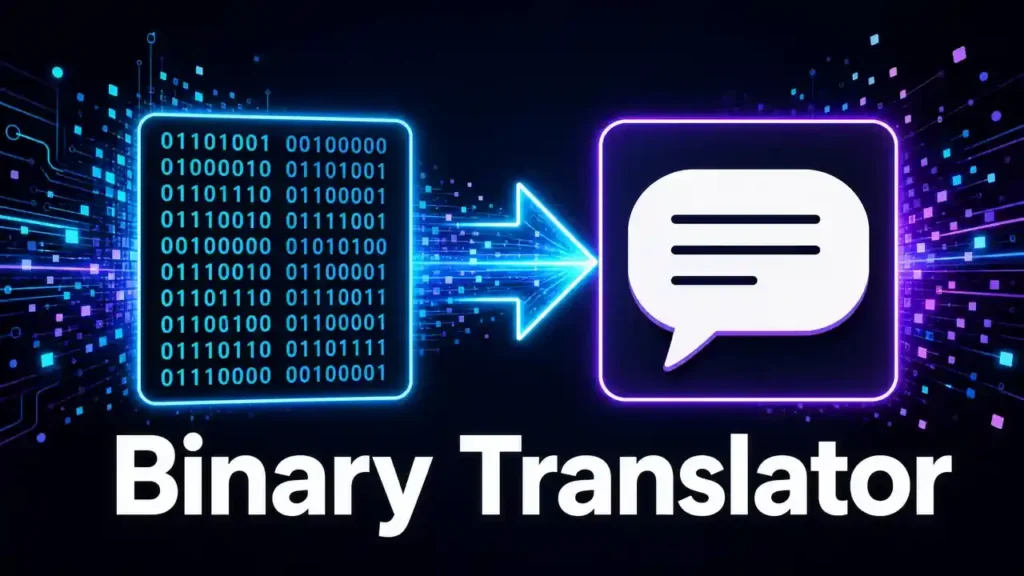
Bits and Bytes Explained
Bits and bytes form the foundation of digital data. A bit, short for Binary Translator digit, is the smallest unit of digital information. It can hold one of two values: 0 or 1. A byte contains eight bits, such as 01001000. This sequence contains eight binary digits and forms one byte. Bits and bytes differ mainly in size. One bit contains a single binary value, while one byte contains eight bits. You can visualize the relationship as 0 1 0 0 1 0 0 0 → 1 byte. A byte can represent 256 different combinations, from 00000000 to 11111111. When binary represents ASCII text, one common character often uses one byte. For example, 01001000 represents H in ASCII. However, this rule does not apply to every character encoding. UTF-8 can use multiple bytes for one Unicode character. Therefore, one character does not always equal one byte. Understanding bits and bytes helps explain how a binary translator processes digital information. It also makes binary-to-text and text-to-binary conversion easier to understand.
Binary Translator vs Binary Converter vs Binary Decoder
The terms binary translator, binary converter, and binary decoder often describe similar tools. However, each term focuses on a slightly different task. Understanding these differences helps you choose the right tool for your needs.
Binary Translator
A binary translator usually converts between binary and readable text. It may support both directions. You can convert text into binary or decode binary into text. The term focuses on making binary information easier for people to understand.
Binary Converter
A binary converter has a broader meaning. It can convert binary into decimal, hexadecimal, or other number systems. Some converters also handle text and binary.
For example:
01001000 → 72 → 48
This represents binary, decimal, and hexadecimal forms of the same value.
Binary Decoder
A binary decoder interprets binary data and produces meaningful output. It often focuses on the reverse process. For example:
01001000 → H
A decoder needs the correct encoding or data format. Otherwise, the result may contain incorrect characters.
Binary Encoder
A binary encoder performs the opposite operation. It takes information and creates an encoded binary representation.
For example:
H → ASCII value 72 → 01001000
Where These Terms Overlap
These terms can describe the same online tool because their functions often overlap. A binary translator may also act as a binary converter and decoder. The main difference comes from the task being performed.
Binary vs Decimal vs Hexadecimal vs Octal
Computers and programmers use several number systems to represent values. Each system uses a different base and set of digits. A number system converter can change the same value between these formats. Understanding these systems makes binary conversion easier.
| Number System | Base | Digits |
| Binary | 2 | 0–1 |
| Octal | 8 | 0–7 |
| Decimal | 10 | 0–9 |
| Hexadecimal | 16 | 0–9, A–F |
Binary
The binary number system uses base 2. It contains only 0 and 1. Computers use binary to represent digital information. Binary also forms the foundation of many low-level computing operations.
Decimal
The decimal number system uses base 10. It is the standard system people use in everyday life. It uses digits from 0 through 9. Most calculations, measurements, and ordinary numbers use decimal notation.
Hexadecimal
Hexadecimal uses base 16. It uses digits from 0 through 9 and letters from A through F. Programmers often use hexadecimal because it represents binary values more compactly. One hexadecimal digit represents four binary bits.
For example:
01001000 → 48 in hexadecimal.
Octal
Octal uses base 8. It uses digits from 0 through 7. Each octal digit represents three binary bits. Octal appears in some programming and computing contexts, including certain Unix file permission representations.
Each system serves a different purpose. Binary suits digital representation. Decimal suits everyday calculations. Hexadecimal provides compact binary notation. Octal offers another compact way to represent groups of binary digits. A converter can move values between these systems without changing their underlying numeric value.
How to Read Binary Manually
You do not always need a binary translator to understand a simple binary message. You can decode binary manually by following a few clear steps. This process also helps you understand what happens inside a binary-to-text converter.
Step 1 — Group the Binary Digits
Start by separating the binary digits into groups. For standard ASCII text, use groups of eight bits.
For example:
01001000 01101001
Each group represents one byte.
Step 2 — Convert Binary to Decimal
Next, convert each eight-bit group into a decimal value. Use the binary place values:
128 64 32 16 8 4 2 1
For 01001000, add the values containing 1:
64 + 8 = 72
Therefore:
01001000 → 72
For 01101001:
64 + 32 + 8 + 1 = 105
Therefore:
01101001 → 105
Step 3 — Match the Value to a Character
Now match each decimal value with its ASCII character.
72 → H
105 → i
ASCII provides the character mapping needed for this step.
Step 4 — Repeat for Each Byte
Repeat the same process for every eight-bit group. Keep the characters in their original order.
Complete Worked Example
Start with:
01001000 01101001
Convert each group:
01001000 → 72 → H
01101001 → 105 → i
Combine the characters:
H + i = Hi
This manual method works well for simple ASCII text. UTF-8 requires more care because one character can use multiple bytes. Therefore, always identify the encoding before decoding complex binary data.
Binary Arithmetic Basics
Binary arithmetic uses the same basic ideas as decimal arithmetic. The main difference involves the number of available digits. Binary uses only 0 and 1, so each calculation follows base-2 rules. Understanding these rules can help you read binary values and understand how computers process numbers.
Binary Addition
Binary addition follows four simple rules:
- 0 + 0 = 0
- 0 + 1 = 1
- 1 + 0 = 1
- 1 + 1 = 10
The last result creates a carry.
For example:
101
+ 011
—–
1000
The binary result equals decimal 8.
Binary Subtraction
Binary subtraction also uses borrowing when needed.
For example:
101
– 010
—–
011
Here, decimal 5 minus decimal 2 equals decimal 3.
Binary Multiplication
Binary multiplication uses fewer combinations than decimal multiplication. The basic rules include:
- 0 × 0 = 0
- 0 × 1 = 0
- 1 × 0 = 0
- 1 × 1 = 1
For example:
101 × 10 = 1010
The result represents decimal 10.
Binary Division
Binary division follows the same general process as long division. You compare values, subtract when possible, and shift positions.
For example:
1000 ÷ 10 = 100
This equals decimal 8 ÷ 2 = 4.
Binary arithmetic supports many computer operations. However, users usually need these calculations only when working with binary numbers rather than simple text conversion.
Binary Representation of Text
Computers store text as digital data. They need a consistent method to represent each character with numbers. Binary representation then expresses those values using 0s and 1s. This process allows computers to store, process, and transmit text.
How Computers Represent Characters
A computer does not store a letter as the shape you see on screen. It stores data that identifies the character. For example, the letter A has a Unicode code point of U+0041. Its UTF-8 encoding uses the byte 41 in hexadecimal, which equals 01000001 in binary.
Character Encoding
Character encoding defines how characters become bytes. Common encodings include ASCII and UTF-8.
ASCII represents a limited set of characters. UTF-8 can encode the full Unicode character set. UTF-8 also keeps ASCII characters compatible with their original byte values.
The basic process looks like this:
Character → Encoding → Bytes → Binary
Code Points vs Bytes
A code point identifies a character within Unicode. A byte stores eight bits of data.
These concepts are not interchangeable. A character has a code point, but its encoding determines the bytes used to store it.
For example, the Unicode code point for A is U+0041. UTF-8 encodes it as one byte: 41.
Binary Representation vs Character Encoding
Binary and character encoding perform different roles.
Binary representation shows data using 0s and 1s.
Character encoding defines how characters map to bytes.
Therefore, a binary translator needs the correct encoding to interpret binary text. Without that context, the same binary data may not produce meaningful characters.
Common Binary Translation Problems
Binary conversion can fail for several reasons. A binary translator needs valid data and the correct interpretation. Small mistakes can produce unreadable results or unexpected characters.
Why Does My Binary Decode Into Gibberish?
Gibberish often indicates the wrong character encoding. Your binary may use UTF-8 while the decoder expects ASCII. Incorrect bit grouping can also change the resulting characters.
Why Does My Binary Have the Wrong Number of Bits?
Simple ASCII examples often use eight bits per character. However, binary data does not always follow this format. UTF-8 can use multiple bytes for one character. Other data formats may follow completely different structures.
What If the Binary Is Not in 8-Bit Groups?
Do not automatically add or remove digits. Missing or extra bits can change the data. First, check the original source and encoding. Then determine the expected byte structure.
Why Does ASCII Work but UTF-8 Fail?
ASCII handles a limited character set. UTF-8 handles Unicode characters using variable-length byte sequences. A decoder can fail when the input contains UTF-8 data but uses the wrong interpretation.
Can Binary Represent an Image or File?
Yes. Binary can represent almost any type of digital data. Images, audio, videos, documents, and programs all use binary data. A text decoder cannot turn arbitrary file data into meaningful English.
Can Every Binary String Be Converted Into English?
No. A binary string does not automatically represent English. It must contain text encoded with a compatible character encoding. Otherwise, decoding may produce meaningless characters.
What Happens If Binary Data Is Corrupted?
Corrupted binary data can produce incorrect output. Missing bits, changed values, or damaged bytes can affect the entire message. Always verify the original binary before assuming the decoder caused the problem.
Why Binary-to-Text Conversion Sometimes Fails
A binary-to-text conversion does not always produce readable text. Binary can represent many types of digital data. The correct encoding and data structure must exist before a translator can decode it accurately.
Invalid binary characters are a common problem. Standard binary input should contain only 0 and 1. Any other character can cause a conversion error.
Incorrect bit grouping can also change the result. Many simple text examples use eight-bit groups. However, not all binary data follows an eight-bit text format.
Wrong character encoding can produce strange symbols or unreadable text. ASCII and UTF-8 follow different rules. The decoder must use an encoding that matches the original data.
Missing bytes can make a message incomplete. Even one missing byte may affect the decoded output.
Corrupted data creates another problem. Changed or damaged bits can produce incorrect characters.
Binary can also represent non-text data. Images, audio, videos, and program files use binary representations. A text translator cannot meaningfully decode such data into English.
Encrypted data requires the correct decryption process and key. Simple binary conversion cannot reveal encrypted content.
Common Binary Translator Mistakes
Binary conversion looks simple, but small misunderstandings can cause incorrect results. Knowing these common mistakes helps you use a binary translator more accurately and understand what the output means.
Treating Binary as a Language
Binary is not a spoken or written human language. It is a base-2 representation system. Character encodings give binary data meaning when it represents text.
Assuming Every Character Uses 8 Bits
Many ASCII examples use eight-bit groups. However, you should not assume every character always uses one byte. UTF-8 can use one to four bytes for a Unicode character.
Confusing ASCII With Unicode
ASCII represents a limited set of characters. Unicode covers a much larger character set. UTF-8 provides one common way to encode Unicode characters into bytes.
Therefore, ASCII and Unicode are not interchangeable terms.
Confusing Encoding With Encryption
Encoding changes data into another representation. Encryption protects information by making it unreadable without the required key. A binary representation does not automatically provide security.
Assuming Binary Always Represents Text
Binary can represent text, images, audio, video, programs, and other digital data. A sequence of 0s and 1s does not automatically contain an English message.
Removing Leading Zeros
Leading zeros can matter when binary represents fixed-size values. For example:
01000001
represents A in an 8-bit ASCII representation.
Removing the first zero gives 1000001. The numeric value stays the same, but the byte structure changes.
Using the Wrong Character Encoding
A decoder needs the correct encoding to interpret binary text. Using ASCII for UTF-8 data can produce incorrect results. Always identify the original encoding when possible.
What Can You Use a Binary Translator For?
A binary translator can help with learning, programming, data conversion, and practical computer tasks. It turns complex binary values into forms that people can understand more easily. The tool also helps users see how computers represent information.
Learning Computer Science
Students can use a binary translator to understand the base-2 number system. It makes bits, bytes, and binary values easier to explore.
Programming
Programmers can inspect simple binary values during coding tasks. A converter can also help them compare binary, decimal, and hexadecimal representations.
Debugging
Developers sometimes inspect binary values while troubleshooting software. A translator can help identify the readable meaning of simple encoded data.
Understanding ASCII
A binary translator makes ASCII easier to learn. You can convert characters into binary and then reverse the process.
Decoding Binary Messages
You can decode binary messages when they contain compatible text encoding. The correct encoding remains essential for accurate results.
Educational Projects
Teachers and students can use binary conversion for classroom demonstrations. Simple examples can show how computers represent characters and numbers.
Digital Data Representation
A translator helps explain how digital information uses binary values. It can make abstract computing concepts easier to visualize.
Computer Science Assignments
Students can use it to check binary conversions and understand calculation steps. They should still understand the method behind each result.
Developer Workflows
Developers can use Binary Translator conversion when examining simple encoded values. It can also support quick checks during programming and data-related tasks.
Who Uses a Binary Translator?
A binary translator can help anyone who needs to understand binary data. Its usefulness depends on the task and the user’s level of technical knowledge. Some people use it for learning, while others need quick conversions during development work.
Students
Students can use a binary translator to practice binary numbers, ASCII, and character encoding. It can also help them check their work after learning the conversion process.
Developers
Developers may use binary conversion when examining simple data representations. A translator can help them compare binary values with decimal or hexadecimal forms.
Programmers
Programmers can use the tool when working with character encoding or basic binary operations. It can also provide a quick way to verify simple binary values.
Computer Science Learners
Learners can explore how computers represent characters and numbers. Converting familiar words into binary makes abstract concepts easier to understand.
Teachers
Teachers can demonstrate binary concepts with real examples. A translator can support classroom lessons about bits, bytes, ASCII, and number systems.
Researchers
Researchers may use binary conversion when working with data representations or studying encoding concepts. The tool can help with simple conversions during analysis.
Curious Users
You do not need programming experience to explore binary. Anyone curious about how computers represent text can experiment with a binary translator.
The tool serves different users for different reasons. Students may focus on learning, while developers may need quick verification. The common goal remains the same: understanding or converting binary data accurately.
Binary Translator Online
A binary translator online lets you convert binary and text directly in your web browser. You do not need to install separate software. Enter your text or binary, choose the required conversion, and view the result immediately.
An online Binary Translator code translator can simplify quick encoding and decoding tasks. It can convert text into binary or interpret binary data as text when the correct encoding is available. A binary decoder online can also help you inspect simple binary messages without setting up a separate application.
One major benefit is convenience. You can copy and paste binary strings directly into the tool. This makes it easier to test examples, compare results, and check manual calculations. Browser-based tools also work across devices that support modern web browsers.
An online binary converter can support learning as well as practical tasks. Students can explore ASCII and binary representation. Developers can quickly verify simple values during development. Curious users can experiment with binary without installing specialized software.
However, an online tool still needs valid input and the correct encoding. It cannot automatically turn every sequence of 0s and 1s into English. Binary may represent files, compressed data, encrypted content, or other digital information.
Frequently Asked Questions
What is a binary translator?
A binary translator converts information between binary and another representation, such as text. It can encode text into binary or decode binary into text when the correct encoding applies.
How do I convert binary to text?
Enter the binary sequence into a decoder. Then select the correct character encoding, such as ASCII or UTF-8. The tool converts the binary bytes into readable characters.
How do I convert text to binary?
Enter your text and select an encoding. The converter maps each character to encoded bytes. It then represents those bytes using 0s and 1s.
What is binary code?
Binary code represents data using two digits: 0 and 1. Computers use binary representations for many types of digital information.
Is Binary Translator the same as ASCII?
No.Binary Translator is a representation system. ASCII is a character encoding that assigns values to specific characters. ASCII values can appear as binary representations.
Is binary the same as machine code?
No. Machine code contains processor instructions represented as binary data. Binary itself is a broader way to represent digital information.
How many bits are in a byte?
One byte contains eight bits. Each bit can hold either 0 or 1.
Can binary be translated into English?
Sometimes. Binary can produce English text when it contains text encoded with a compatible character encoding. Not every binary sequence represents readable language.
What is the difference between ASCII and UTF-8?
ASCII supports a limited character set. UTF-8 can encode the Unicode character set and uses one to four bytes per character.
Why does my binary decode incorrectly?
Common causes include incorrect grouping, wrong encoding, missing bytes, or corrupted data. The binary might also represent non-text information.
Can a binary translator decode files?
A basic text translator can decode binary that represents compatible text. It cannot automatically turn arbitrary file data into readable text.
Can I convert binary to hexadecimal?
Yes. Binary Translator and hexadecimal represent the same numeric values in different bases. Each hexadecimal digit corresponds to four binary bits.
Conclusion
A binary translator makes binary conversion easier to understand and use. It can convert text into binary and decode compatible binary data back into readable text. The process depends on character encoding, bytes, and binary representation.
Binary uses only 0 and 1, but those digits can represent many types of digital data. ASCII works well for basic characters, while UTF-8 supports a much wider range of Unicode characters. This is why every binary sequence cannot automatically become English.
Understanding bits, bytes, encoding, and number systems helps you use a binary converter correctly. It also helps you recognize why some conversions produce unexpected results.
Use a binary translator for quick conversions, learning, programming practice, ASCII exercises, and simple data checks. For unfamiliar binary data, identify its format and encoding before decoding it.
Most importantly, remember that binary is a representation, not a human language. The meaning comes from the encoding or data format behind the binary. Once you understand that distinction, binary-to-text and text-to-binary conversion become much easier to understand.