How to Translate Urdu Images
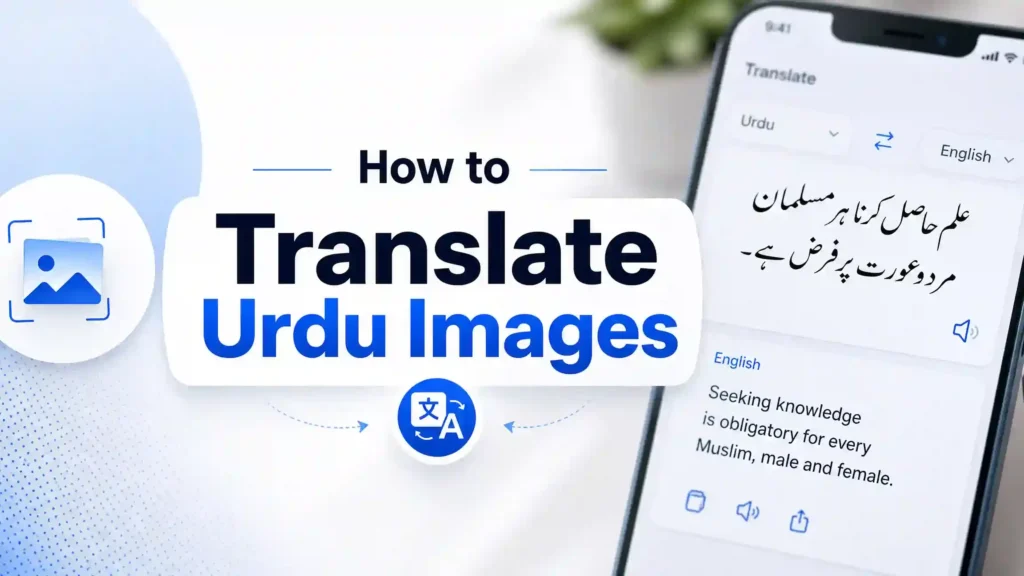
Need to understand Urdu text in an image? Modern AI tools make the process much easier. You can translate photos, screenshots, scanned documents, and handwritten notes into English within minutes.
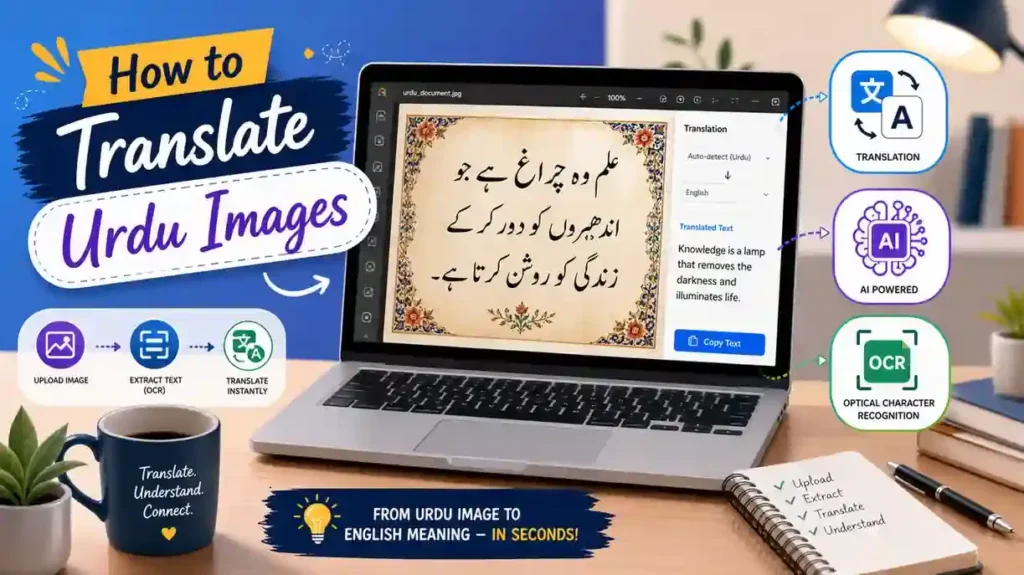
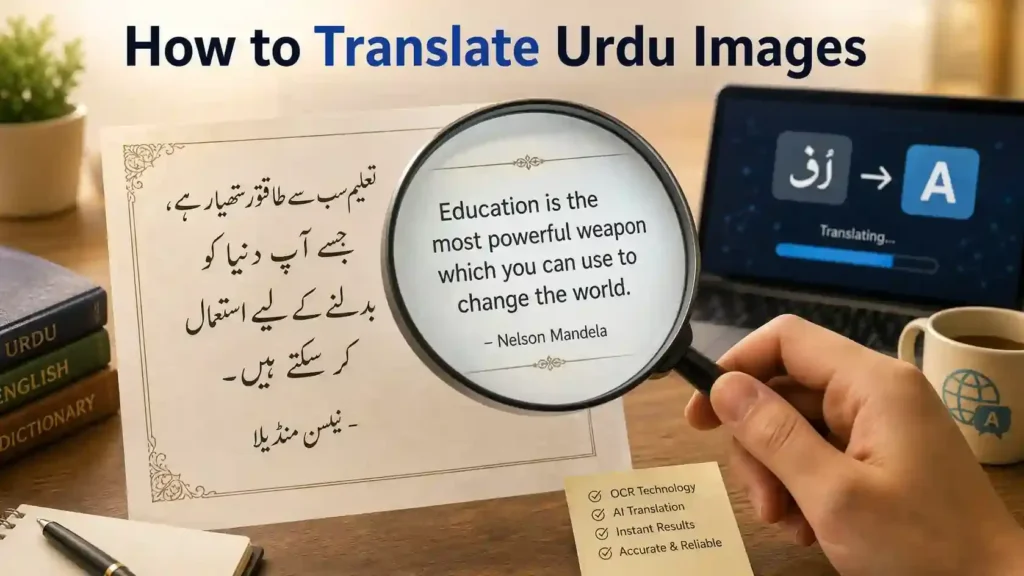
How to Translate Urdu Images combines Optical Character Recognition (OCR) with AI translation. OCR detects and extracts Urdu text from an image. AI then converts that text into natural English while preserving its meaning.
People use Urdu image translation for many reasons. Students translate study materials. Travellers read signs and menus. Businesses understand invoices and contracts. Families translate personal letters, certificates, and official documents.
You can translate many image types. These include photos, screenshots, scanned PDFs, newspapers, books, identity documents, medical reports, receipts, and social media posts.
Urdu presents unique challenges. Most Urdu text uses the Nastaliq script. Its flowing letters, connected words, and changing character shapes make text recognition harder than many other languages. Low-quality images and handwritten text can reduce OCR accuracy even further.
Recent advances in artificial intelligence have improved Urdu image translation. Modern AI understands context better than older translation systems. It also handles complex sentence structures with greater accuracy. Google notes that OCR and machine learning continue to improve text recognition across many languages, while AI language models produce more natural translations.
In this guide, you will learn how Urdu image translation works, which tools deliver the best results, how to improve accuracy, and when professional translation offers the safest choice for important documents.
What Is Translate Urdu Images?
Definition
How to Translate Urdu Images converts Urdu text inside an image into another language, usually English. The process starts by detecting the text in the image. It then extracts the text and translates its meaning. This technology helps people understand Urdu content without typing every word manually.
You can use it for photos, screenshots, scanned documents, books, newspapers, certificates, and handwritten notes. Modern tools combine Optical Character Recognition (OCR) with Artificial Intelligence (AI) to deliver faster and more accurate results.
How Image Translation Works
How to Translate Urdu Images follows a simple process. First, you upload an image. The software detects the Urdu text. Next, an OCR engine converts the image into editable digital text. AI then analyses the words, understands the context, and translates them into natural English. Finally, you can review, copy, or download the translated text.
Many modern tools also preserve the original formatting. This makes translated documents easier to read and share.
OCR vs. How to Translate Urdu Images
OCR and How to Translate Urdu Images are not the same. OCR only recognizes and extracts text from an image. It does not understand the meaning. Image translation goes one step further. It combines OCR with AI to translate the extracted Urdu text into another language while keeping the original context.
OCR vs. Human Translation
OCR works quickly and handles large volumes of text. However, it may struggle with blurry images, decorative fonts, or handwritten Urdu. Human translators understand culture, tone, and hidden meanings. They also catch mistakes that software may miss. For legal, medical, or official documents, a professional review remains the safest option.
AI Image Translation Explained
Modern AI has transformed How to Translate Urdu Images. Older systems translated words one by one. Today’s AI understands complete sentences and their context. It produces smoother and more natural English. AI also improves text recognition for complex Nastaliq script and mixed-language documents. According to Google AI and Microsoft AI, advances in machine learning and neural machine translation continue to improve multilingual OCR and translation accuracy, making Urdu image translation more reliable than ever.
How Does Urdu Image Translation Work?
How to Translate Urdu Images follows a simple workflow. Each step improves accuracy and helps AI understand the original content. Knowing this process also helps you choose the right tool and avoid common translation errors.
Image Upload
The process begins with an image. You upload a photo, screenshot, scanned document, PDF, or camera image to an OCR or AI translation tool. A clear, high-resolution image produces the best results. Good lighting and sharp text also improve recognition.
Text Detection
The software scans the image to locate every text area. It separates text from the background, graphics, and other objects. This step prepares the image for accurate text extraction.
Urdu OCR
Next, the OCR engine reads the Urdu script. It identifies letters, words, and sentences. Modern OCR engines support Unicode Urdu and recognize printed Nastaliq text more accurately than older systems. However, poor image quality or decorative fonts can still reduce accuracy.
Language Detection
After extracting the text, the system identifies the language automatically. It confirms whether the content is Urdu, Roman Urdu, English, or a mix of languages. Correct language detection improves translation quality.
Machine Translation
AI then translates the extracted Urdu text into English. Modern Neural Machine Translation (NMT) analyzes complete sentences instead of translating words individually. This approach preserves context, grammar, and natural meaning. Google Research and Microsoft Research have shown that neural translation models deliver better fluency and accuracy than traditional rule-based systems.
Human Review
AI delivers excellent results for most everyday content. Still, review the translated text before using it. This step helps you correct names, dates, technical terms, and cultural expressions. For legal, medical, or financial documents, professional human review remains the safest choice.
Final Translated Output
The final output appears as editable English text. Many tools let you copy, download, or export the translation. Some also preserve the original layout, making translated documents easier to read, edit, and share. A quick proofreading pass ensures the final version is accurate, clear, and ready to use.
Types of How to Translate Urdu Images
Modern OCR and AI translation tools support many types of How to Translate Urdu Images. However, image quality and text clarity affect the final result. Clear, high-resolution images usually produce the most accurate translations.
Printed Documents
Printed documents offer the highest OCR accuracy. These include letters, reports, manuals, forms, and educational materials. Clean fonts help AI recognize Urdu text quickly.
Scanned Documents
You can translate scanned PDFs, archived files, and official records. High-quality scans improve text recognition and reduce OCR errors.
Screenshots
Screenshots often contain messages, articles, social media posts, or website content. AI tools can detect and translate Urdu text directly from these images.
Photos
Mobile phone photos work well when the text is sharp and properly lit. Crop unnecessary background before uploading the image.
Handwritten Notes
Handwritten Urdu is more challenging because writing styles vary. Modern AI performs better than older OCR systems, but always review the final translation.
Books
Translate textbook pages, novels, research papers, and reference books with OCR-powered tools. Clear page scans improve translation quality.
Newspapers
Urdu newspapers often use dense Nastaliq text. Modern AI can translate headlines and articles, although complex layouts may require additional proofreading.
Certificates
Birth certificates, marriage certificates, educational certificates, and other official records can be translated for immigration, education, or legal purposes. Always verify important details before submission.
ID Cards
National identity cards often contain names, addresses, and personal information. Check every field carefully because even small OCR mistakes can cause problems.
Passports
AI can translate passport information pages for reference. However, official applications usually require certified human translations.
Signboards
Translate road signs, shop names, public notices, and directional signs while travelling. Camera-based translation tools work especially well for this purpose.
Menus
Restaurant menus become easier to understand with image translation. AI quickly translates food names and common descriptions into English.
Receipts
Translate shopping receipts, payment slips, and transaction records to understand purchased items, prices, and payment details.
Medical Reports
Medical prescriptions, laboratory reports, and hospital documents often contain technical terms. Review these translations carefully and consult healthcare professionals when necessary.
Invoices
Businesses can translate invoices to understand products, services, quantities, and billing information. Accurate translation supports smoother international communication.
Business Cards
Business cards contain names, job titles, company details, phone numbers, and addresses. AI helps extract this information quickly, making it easier to save contacts and communicate across languages.
How to Translate Urdu Screenshots
How to Translate Urdu Images screenshots often contain messages, articles, social media posts, emails, and website content. Unlike scanned documents, screenshots usually include mixed languages, emojis, and graphics. Modern AI tools can still recognize and translate them accurately when the image is clear.
Mobile Screenshots
Mobile screenshots are the easiest to translate. Open your preferred AI translator or OCR app and upload the screenshot from your phone’s gallery. The tool detects the Urdu text and converts it into English within seconds. If the screenshot contains unnecessary icons or notifications, crop them before uploading. This improves OCR accuracy and reduces recognition errors.
Desktop Screenshots
Desktop screenshots often include websites, PDFs, software interfaces, or online articles. Save the screenshot in PNG or JPG format before uploading it to an AI translation tool. Zoom in if the text appears too small. High-resolution screenshots help OCR engines recognize Nastaliq characters more accurately.
WhatsApp Screenshots
WhatsApp conversations often mix Urdu, Roman Urdu, English, emojis, and voice note captions. Modern AI tools understand these mixed-language chats better than traditional translators. Always review names, slang, abbreviations, and informal expressions because AI may interpret them differently depending on the conversation.
Social Media Screenshots
Facebook, Instagram, X, TikTok, and other social media platforms contain Urdu captions, comments, and images with embedded text. AI-powered OCR can extract this content and translate it into natural English. However, memes, poetic quotes, idioms, and cultural references may require additional context. Reviewing the translation ensures the original message and tone remain accurate.
For the best results, always use clear screenshots, crop unnecessary borders, and verify the translated text before sharing or using it in important conversations. These simple steps improve both OCR recognition and overall translation quality.
How to Translate Urdu Photos
How to Translate Urdu Images often come from mobile cameras, printed documents, books, signboards, or historical records. Unlike screenshots, photos may include shadows, reflections, tilted angles, and uneven lighting. These issues can reduce OCR accuracy. A few simple adjustments can greatly improve the final translation.
Camera Photos
Camera photos are ideal for How to Translate Urdu Images text on signs, menus, posters, books, and official documents. Hold your phone steady and keep the text in focus. Capture the image in good lighting and avoid glare from glossy paper. Fill the frame with the Urdu text instead of the surrounding background. This helps the OCR engine detect characters more accurately.
Old Photos
Old photographs and aged documents often contain faded ink, stains, or damaged paper. Scan these images at the highest possible resolution before translating them. If needed, improve the brightness and contrast with a photo editor. A cleaner image allows AI to recognize more Urdu characters and produce a better English translation.
Low-Quality Images
Low-resolution images contain fewer text details. This makes character recognition more difficult, especially for the flowing Nastaliq script. Whenever possible, use the original photo instead of a compressed copy. You should also crop unnecessary areas to help the OCR software focus only on the text.
Blurry Images
Blurry photos remain one of the biggest causes of OCR errors. Retake the picture if the text looks unclear. Hold the camera still and tap the screen to focus before capturing the image. If you cannot retake the photo, use an AI image enhancement tool to sharpen the text first. Then upload the improved image for translation. Better image quality leads to faster text recognition and more accurate English results.
How to Translate Handwritten Urdu Images
Handwritten How to Translate Urdu Images is one of the most difficult formats for OCR and AI translation. Every person writes differently. Letter shapes, spacing, and writing speed can change the appearance of words. Despite these challenges, modern AI has made handwritten Urdu translation more accurate than ever.
OCR Limitations
Traditional OCR performs best with printed text. Handwritten Urdu creates extra challenges because the Nastaliq script connects letters and changes their shape within words. Poor handwriting, faded ink, and overlapping characters can reduce recognition accuracy. Folded paper, shadows, and low-resolution images can also cause OCR to miss words or misread letters.
AI Improvements
Recent advances in Artificial Intelligence and Neural Machine Translation (NMT) have improved handwritten text recognition. Modern AI models analyse complete words and sentences instead of individual characters. They also use surrounding context to predict unclear words. This approach reduces many common OCR errors and produces more natural English translations. Research from Google and Microsoft shows that machine learning continues to improve handwriting recognition across many languages.
Manual Proofreading
Always review the translated text before using it. AI may confuse similar-looking Urdu characters or misunderstand names, dates, and technical terms. Proofreading helps you catch these mistakes and preserve the original meaning. This step becomes essential for legal, academic, medical, and official documents.
Best Tools
Choose your tool based on the type of handwritten content. ChatGPT works well for understanding context and explaining unclear sentences. Google Lens can translate neat handwriting with reasonable accuracy. Microsoft Translator performs well for simple handwritten notes. If the handwriting is difficult to read or the document is important, combine AI with a professional human translator. This approach delivers the highest level of accuracy and trust.
How to Extract Urdu Text from Images
Extracting How to Translate Urdu Images text is the first step in image translation. OCR technology converts text inside an image into editable digital text. Once the text becomes editable, you can translate, edit, search, or save it. Modern AI tools make this process fast and accurate for most printed Urdu documents.
OCR
Start by uploading yourHow to Translate Urdu Images image to an OCR tool or AI translator. The software scans the image and detects the Urdu text automatically. It then converts the text into Unicode characters that you can edit and copy. For the best results, use a clear image with good lighting and high resolution. The Unicode Standard also supports digital representation of Urdu characters, making extracted text compatible across modern devices and applications.
Copy Text
After OCR finishes, review the extracted text carefully. Correct any spelling or recognition errors before copying it. This step is especially important for Nastaliq script because connected letters and decorative fonts can confuse OCR engines. Once you verify the text, copy it with a single click and paste it into any document, email, or translation tool.
Export Text
Many OCR platforms let you export the extracted text in different formats. You can usually save it as TXT, DOCX, PDF, or other editable file types. This feature helps students, researchers, businesses, and translators reuse the content without typing everything again.
Translate Extracted Text
The final step is translation. Paste the extracted Urdu text into an AI translation tool to convert it into natural English. AI analyses complete sentences instead of individual words, which improves grammar and context. Always compare the translation with the original Urdu text before using it for legal, medical, academic, or business purposes. A quick review ensures better accuracy and preserves the intended meaning.
Urdu OCR Explained
How to Translate Urdu Images OCR is the technology behind most Urdu image translation tools. It reads text from images and converts it into editable digital text. This process saves time and removes the need for manual typing. Understanding how Urdu OCR works also helps you achieve more accurate translation results.
What OCR Means
OCR stands for Optical Character Recognition. It identifies letters, words, and sentences inside an image. The software analyses each character and converts it into machine-readable text. You can then copy, edit, search, or translate the extracted content. OCR powers many document scanners, translation apps, and AI image translators used today.
Urdu OCR Challenges
How to Translate Urdu Images presents unique recognition challenges. Most written Urdu uses the Nastaliq script, which connects letters in flowing lines. Many characters also change shape depending on their position in a word. Similar-looking letters, overlapping words, and decorative fonts make recognition harder. Poor lighting, blurred images, and low-resolution scans can reduce OCR performance even further.
Nastaliq Recognition
Recognizing Nastaliq requires advanced OCR and AI models. Unlike simple printed fonts, Nastaliq includes slanted text, connected characters, and complex ligatures. Modern AI uses machine learning and computer vision to identify these patterns more accurately. Even so, handwritten or highly stylized text may still require manual correction.
Unicode Conversion
After OCR detects the Urdu text, it converts each character into Unicode. Unicode provides a universal encoding standard for digital text. This conversion allows Urdu content to display correctly across computers, smartphones, websites, and translation software. It also makes the extracted text searchable, editable, and ready for AI translation.
OCR Accuracy
OCR accuracy depends on several factors. High-resolution images produce better results than blurry or compressed files. Printed text usually achieves higher accuracy than handwriting. Clean backgrounds, proper lighting, and straight alignment also improve recognition. Modern AI-powered OCR can deliver excellent results for clear Urdu documents, but you should always review the extracted text before translating important legal, medical, financial, or academic content. A short proofreading step helps preserve accuracy and the original meaning.
Common Problems During Urdu Image Translation
How to Translate Urdu Images has improved with AI, but it is not perfect. Several factors can reduce OCR accuracy and affect the final English translation. Understanding these common problems helps you achieve better results and avoid unnecessary errors.
Blurry Images
Blurry images make it difficult for OCR to recognize Urdu characters. The software may skip words or confuse similar-looking letters. Always use a sharp image with proper focus. If possible, retake the photo instead of translating a blurry copy.
Low Resolution
Low-resolution images contain fewer text details. Small or pixelated characters become difficult to identify, especially in the Nastaliq script. Upload the highest-quality image available. High-resolution photos and scans improve both OCR performance and translation accuracy.
Wrong Language Detection
Some images contain multiple languages or unusual fonts. The OCR tool may detect the wrong language and produce incorrect results. Check that the software recognizes Urdu before starting the translation. If the tool allows manual language selection, choose Urdu to improve accuracy.
Mixed Urdu and English
Many documents, social media posts, and WhatsApp chats combine Urdu and English in the same image. This mixed-language content can confuse older OCR systems. Modern AI handles bilingual text much better, but you should still review names, abbreviations, and technical terms before using the translation.
Decorative Fonts
Stylized fonts often appear on posters, advertisements, invitations, and social media graphics. These fonts change the shape of Urdu letters and make text recognition more difficult. Simple printed fonts usually deliver much better OCR results.
Handwriting
Every person writes Urdu differently. Fast writing, connected letters, and faded ink increase recognition errors. AI has improved handwritten text recognition, but difficult handwriting still requires careful proofreading or professional review.
Cropped Images
Incomplete images often lead to incomplete translations. Missing words or cut-off sentences change the meaning of the entire text. Before uploading an image, make sure every line and character appears clearly inside the frame. A complete image allows AI to understand the full context and produce a more accurate English translation.
Tips to Improve Translation Accuracy
The quality of your How to Translate Urdu Images depends on the quality of your image. Even the best AI tools cannot recover missing or unreadable text. Follow these simple tips to improve OCR performance and produce more accurate English translations.
Use High-Resolution Images
Always upload the highest-quality image available. High-resolution images show clearer Urdu characters and reduce recognition errors. If you scan a document, choose a resolution of at least 300 DPI for the best results.
Crop Unnecessary Areas
Remove empty space, borders, and unrelated objects before uploading the image. Cropping helps the OCR engine focus only on the Urdu text. It also speeds up text detection and improves recognition accuracy.
Improve Lighting
Take photos in bright, even lighting. Avoid shadows, reflections, and glare on glossy paper. Good lighting makes Urdu characters easier to detect and reduces OCR mistakes.
Keep Text Straight
Capture the image from directly above the document. Avoid tilted or distorted photos. Straight text allows OCR software to recognize lines and characters more accurately.
Use Printed Text
Printed Urdu delivers better results than handwritten text. Clean fonts, consistent spacing, and clear characters help AI recognize words with greater accuracy. If you must translate handwriting, write neatly and use dark ink.
Verify OCR Output
Review the extracted Urdu text before translating it. Look for missing words, incorrect characters, or spelling mistakes. Correcting OCR errors first leads to a more accurate English translation.
Proofread the Translation
AI can misunderstand names, dates, idioms, and technical terms. Read the translated text carefully and compare it with the original image. This step is essential for legal, medical, financial, and academic documents.
Preserve Formatting
Keep the original layout whenever possible. Headings, tables, lists, and paragraphs provide important context. Preserving formatting also makes the translated document easier to read, edit, and share. For important documents, compare the final translation with the original one last time to ensure nothing has been omitted or changed.
Urdu Image Translation Accuracy
How to Translate Urdu Images has become much more accurate in recent years. Modern AI and OCR systems recognize printed Urdu faster and understand sentence context better than older tools. However, no technology guarantees perfect results. The final accuracy depends on image quality, document type, and the complexity of the Urdu text.
AI Accuracy
AI translates complete sentences instead of individual words. This approach helps preserve grammar, context, and natural meaning. It also handles many everyday documents with impressive accuracy. Simple letters, articles, screenshots, and printed pages usually produce reliable translations. However, AI may misinterpret idioms, cultural references, or technical terminology. Always review important translations before using them.
OCR Accuracy
OCR accuracy depends mainly on the quality of the source image. Clear, high-resolution images with printed Nastaliq text deliver the best results. Blurry photos, poor lighting, decorative fonts, and handwritten notes increase recognition errors. Modern OCR engines continue to improve through machine learning, but they still perform best with clean and readable documents.
Human Accuracy
Human translators provide the highest level of accuracy because they understand language, culture, tone, and context. They recognize idioms, technical vocabulary, and regional expressions that AI may overlook. They also identify OCR mistakes before completing the translation. This careful review produces reliable results for sensitive documents.
When Human Translation Is Necessary
AI works well for everyday reading and quick understanding. However, some documents require professional human translation. These include legal contracts, immigration papers, court documents, medical reports, academic transcripts, financial records, and business agreements. Even a small translation error can change the meaning of these documents. For this reason, many government offices, universities, and legal organizations require certified human translations instead of AI-generated versions. Using AI for the first draft and a qualified translator for the final review offers the best balance between speed, accuracy, and trust.
Urdu Image Translation for Different Documents
Not all Urdu documents require the same translation approach. Some only need a quick AI translation, while others demand professional review. Choosing the right method helps you maintain accuracy and avoid costly mistakes.
Educational Documents
Students often translate textbooks, lecture notes, assignments, research papers, and academic certificates. AI tools work well for understanding lessons and study materials. However, review technical terms and subject-specific vocabulary before using the translation for academic work.
Legal Documents
Legal documents require precise wording. Contracts, court orders, affidavits, wills, and agreements contain terms that must remain accurate. A single mistake can change the legal meaning. Use AI for an initial translation, but always rely on a qualified human translator for the final version.
Medical Documents
Medical reports, prescriptions, laboratory results, and hospital records contain specialized terminology. AI can help you understand the general content quickly. However, never make medical decisions based only on machine translation. Always verify the translation with a healthcare professional or certified translator.
Immigration Documents
Immigration applications often include passports, birth certificates, marriage certificates, police certificates, and educational records. Many immigration authorities require certified translations for official submissions. Review every name, date, and document number carefully before filing your application.
Business Documents
Businesses frequently translate invoices, purchase orders, contracts, financial statements, and company reports. Accurate translation improves communication with international clients and partners. Professional review helps prevent misunderstandings in commercial transactions.
Personal Letters
Personal letters, emails, greeting cards, and family messages often include emotions, cultural references, and informal language. Modern AI usually translates these documents well, but proofreading helps preserve the writer’s original tone and intent.
Historical Documents
Historical documents, old manuscripts, newspapers, and archived records often use older vocabulary, faded text, or damaged pages. OCR may struggle with these materials, especially when they use traditional Nastaliq styles. Combining AI translation with expert review produces the most reliable results and preserves the historical meaning of the original document.
Can AI Translate Urdu Images Accurately?
Yes, AI can translate Urdu images with impressive accuracy. Modern AI combines Optical Character Recognition (OCR), Computer Vision, and Neural Machine Translation (NMT) to recognize Urdu text and convert it into natural English. However, the final result depends on the image quality, document type, and writing style.
AI Strengths
AI handles most printed Urdu documents very well. It translates books, newspapers, screenshots, signs, letters, and scanned files within seconds. Modern language models understand complete sentences instead of isolated words. This approach improves grammar, context, and readability. AI also saves time by extracting text and translating it in one workflow. Recent advances from organizations such as Google and Microsoft have significantly improved multilingual OCR and machine translation performance.
AI Weaknesses
AI still has limitations. It may struggle with blurry images, faded documents, decorative fonts, and difficult handwriting. Idioms, poetry, regional expressions, and technical terms can also create challenges. OCR mistakes may appear when the image has poor lighting or low resolution. For these reasons, AI should not replace careful review for sensitive documents.
Human Review
Human review remains an essential step for important translations. A professional translator understands culture, tone, legal terminology, and subject-specific language. They also identify OCR errors that AI may overlook. Reviewing the translated text helps preserve accuracy and prevents misunderstandings in legal, medical, financial, and academic documents.
Future Improvements
AI image translation continues to evolve rapidly. Better OCR engines, stronger language models, and improved computer vision will increase recognition accuracy for the Nastaliq script and handwritten Urdu. Future systems will also understand context, formatting, and multilingual documents more effectively. Even as AI becomes more capable, expert human review will continue to play an important role whenever precision, trust, and official acceptance matter.
Urdu Image Translation vs Urdu Document Translation
Many people think Urdu image translation and Urdu document translation are the same. They are closely related, but they serve different purposes. Image translation focuses on extracting and translating text from images, while document translation converts the complete content of a document into another language. Understanding the difference helps you choose the right solution for your needs.
| Feature | Urdu Image Translation | Urdu Document Translation |
| Source | Photos, screenshots, scanned pages, JPEG, PNG, and camera images | PDFs, Word files, official documents, reports, books, and digital files |
| OCR | Required to extract Urdu text from the image before translation | Usually required only for scanned PDFs or image-based documents |
| Formatting | Basic formatting may change after OCR | Better preserves headings, tables, paragraphs, and document layout |
| Accuracy | High for clear printed images but depends on OCR quality | Generally higher because translators work with complete document structure and context |
| Editing | OCR output often needs proofreading and minor corrections | Professional document translation usually includes editing and quality review |
| Best Use Case | Signs, menus, screenshots, photos, newspapers, books, handwritten notes, and quick translations | Legal contracts, medical reports, business documents, immigration papers, academic records, and official certificates |
If your goal is to understand the text inside a photo or screenshot, Urdu image translation is the fastest option. If you need an accurate translation of an important file for business, education, immigration, or legal purposes, Urdu document translation is the better choice. For scanned official documents, combining OCR with AI translation and human proofreading provides the most reliable results.
Benefits of Translating Urdu Images
How to Translate Urdu Images makes information easier to access. It removes language barriers and helps people understand printed and digital content without typing every word. Whether you are a student, traveller, professional, or researcher, AI-powered translation saves time and improves communication.
Education
Students can translate textbooks, classroom notes, assignments, research papers, and study guides into English. This helps them understand difficult concepts faster and supports independent learning. Teachers can also use translated materials in multilingual classrooms.
Travel
Travellers can read road signs, restaurant menus, hotel notices, transport schedules, and public information with ease. Camera-based translation tools provide quick results and help users navigate unfamiliar places with greater confidence.
Immigration
Many immigration processes involve Urdu documents such as birth certificates, marriage certificates, police certificates, and educational records. AI helps applicants understand these documents before submitting them for certified translation when required.
Business
Companies often receive invoices, contracts, quotations, receipts, and product information in Urdu. Translating these images improves communication with clients, suppliers, and international partners. It also reduces delays caused by language barriers.
Healthcare
Patients can understand prescriptions, laboratory reports, discharge summaries, and medical instructions more easily. AI provides a quick overview of the content, but healthcare professionals should always verify important medical information before making decisions.
Legal
Legal documents demand careful attention. Translating court notices, agreements, affidavits, and official records helps users understand their content before seeking professional legal advice. Certified human translation remains essential for official legal submissions.
Research
Researchers often work with Urdu books, newspapers, manuscripts, and historical archives. AI translation speeds up information gathering and helps identify useful content without manually translating every page. This makes multilingual research more efficient.
Communication
How to Translate Urdu Images supports everyday communication. Users can translate WhatsApp screenshots, emails, social media posts, handwritten notes, and personal letters within seconds. This makes it easier to connect with family, friends, colleagues, and customers across different languages while preserving the original message.
Frequently Asked Questions
How do I translate Urdu images to English?
Upload the image to an AI translator or OCR tool such as ChatGPT, Google Lens, or Google Translate. The software extracts the Urdu text and converts it into English within seconds.
Can ChatGPT How to Translate Urdu Images?
Yes. ChatGPT can extract How to Translate Urdu Images text from images using OCR and translate it into natural English. It also explains context, idioms, and difficult phrases for better understanding.
Can Google Lens translate Urdu?
Yes. Google Lens supports Urdu image translation. Open Google Lens, upload or scan the image, and select Translate to view the English version instantly.
Which Urdu OCR tool is most accurate?
The best tool depends on your needs. ChatGPT provides excellent contextual translation. ABBYY FineReader offers professional OCR. Google Lens and Microsoft Translator perform well for everyday printed Urdu documents.
Can AI read handwritten Urdu?
Yes, but accuracy varies. AI reads neat handwritten Urdu better than messy handwriting. Always proofread the translation because handwriting styles differ from person to person.
How do I translate Urdu screenshots?
Upload the screenshot to an OCR or AI translation tool. The software detects the Urdu text, extracts it, and translates it into English without requiring manual typing.
How do I copy Urdu text from an image?
Use an OCR tool to extract the text first. Review the output for errors, then copy the editable Urdu text and paste it into any document or translation application.
Is Urdu OCR free?
Many OCR tools offer free versions with basic features. Some advanced platforms require a paid subscription for higher accuracy, larger file sizes, or premium features.
Can I How to Translate Urdu Images PDFs?
Yes. AI tools can translate scanned and digital Urdu PDFs. If the PDF contains images instead of selectable text, OCR extracts the content before translation begins.
What image formats work best?
PNG, JPEG, JPG, TIFF, and high-quality PDF files usually produce the best OCR results. Clear, high-resolution images improve text recognition and translation accuracy.
Why does OCR fail on Nastaliq?
The Nastaliq script contains connected letters, complex ligatures, and changing character shapes. Blurry images, decorative fonts, and poor lighting make recognition even more difficult.
How accurate is AI translation?
AI provides excellent accuracy for clear
Final Thoughts
Choosing the right How to Translate Urdu Images method depends on your goal. If you want to understand a sign, screenshot, book page, or social media post, AI tools provide fast and reliable results. They save time and remove the need to type Urdu text manually.
Modern AI has transformed Urdu image translation. Tools such as ChatGPT, Google Lens, and Google Translate can recognize printed Urdu, extract text with OCR, and produce natural English translations within seconds. For everyday tasks, these tools offer excellent speed and convenience.
However, AI is not perfect. Blurry images, handwritten notes, decorative Nastaliq fonts, and technical documents can still create translation errors. Legal contracts, medical reports, immigration papers, academic records, and financial documents require greater accuracy. In these cases, use AI for the first draft and let a qualified human translator review the final version. This approach provides the best balance between speed, accuracy, and trust.
To achieve the best results, always upload clear, high-resolution images. Verify the OCR output before translating. Proofread the English translation carefully, especially when the document contains names, dates, numbers, or specialized terminology. These simple steps can significantly improve translation quality.
How to Translate Urdu Images technology continues to improve through advances in artificial intelligence, OCR, and machine learning. As these technologies evolve, translations will become even more accurate and natural. By choosing the right tool and following the best practices in this guide, you can translate Urdu images with confidence, save valuable time, and understand content more effectively in both personal and professional situations.