
Roman Urdu to Urdu Script: A Simple Step-by-Step Guide
Have you ever typed “Mera naam Ali hai” instead of “میرا نام علی ہے”? Many people write Urdu with English letters every day. This writing style is called Roman Urdu. It works well for texting, social media, and quick messages. However, it does not follow the official Urdu writing system.
Urdu script uses the Perso-Arabic alphabet and usually appears in the beautiful Nastaliq style. Schools, books, newspapers, and official documents use this script. It preserves correct spelling and improves reading. It also reflects the rich history of the Urdu language.
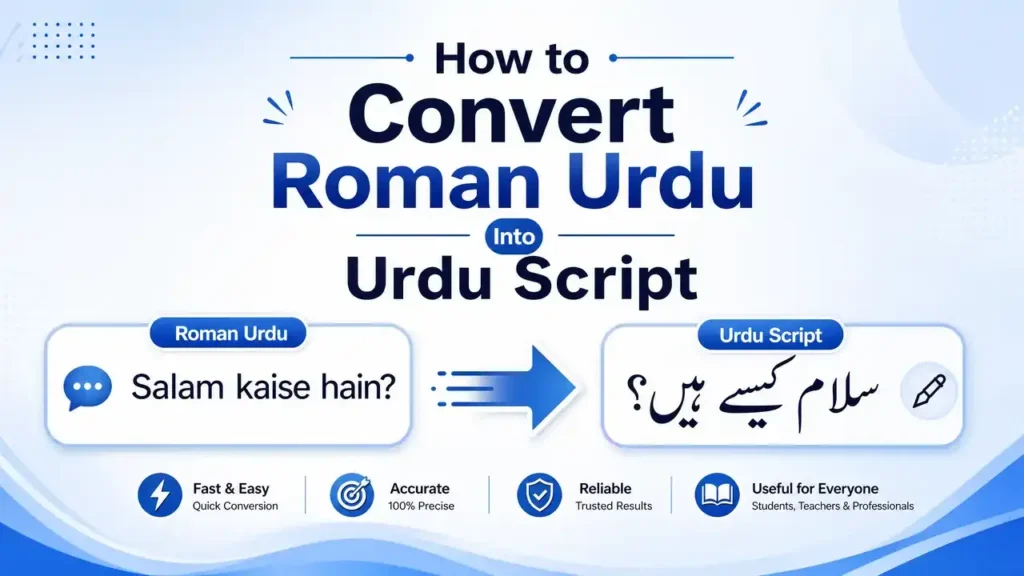
Many people still choose Roman Urdu because almost every keyboard supports English letters. They may not know how to type Urdu. Others find Roman Urdu faster for casual conversations. Yet Roman Urdu has no standard spelling. One word can appear in several forms, which often creates confusion.
Learning how to convert Roman Urdu into Urdu script helps you write more clearly. It improves communication and supports better learning. It also helps create professional documents, educational content, and searchable Urdu text. Organizations like the Unicode Consortium provide the global standard that keeps Urdu text readable across modern devices. The Center for Research in Urdu Language Processing (CRULP) also develops resources and research to improve Urdu language technology.
In this guide, you will learn different ways to convert Roman Urdu into Urdu script. You will understand transliteration, explore reliable tools, compare manual and AI methods, solve common problems, and discover tips for accurate Urdu writing.
What Is Urdu Script?
Understanding the Urdu Writing System
How to Convert Roman Urdu Into Urdu Script is the official writing system of the Urdu language. It uses characters instead of English letters. People read and write it from right to left. Schools, books, newspapers, and government offices use this script across Pakistan and many Urdu-speaking communities worldwide.
How to Convert Roman Urdu Into Urdu Script represents sounds more accurately than Roman Urdu. It follows established spelling rules and creates clear, consistent writing. This makes reading easier and reduces confusion. When you convert Roman Urdu into Urdu script, your text becomes more natural and professional.
Nastaliq vs Naskh
Urdu mainly uses two writing styles: Nastaliq and Naskh. Nastaliq is the traditional style for Urdu. It has flowing letters and elegant curves. Most Urdu books, newspapers, and magazines use Nastaliq because it matches the language’s literary tradition.
Naskh has a simpler and straighter design. Many websites, mobile apps, and digital interfaces use it because screens display it more easily. Both styles represent the same language. Only their appearance differs.
Urdu Alphabet Basics
The Urdu alphabet contains 39 basic letters. It comes from the Perso-Arabic script and includes extra letters for sounds that Arabic does not have. Urdu also uses vowels, consonants, dots, and ligatures to form complete words. The shape of many letters changes based on their position in a word.
Learning the alphabet helps you understand how Roman Urdu maps to Urdu characters during transliteration.
Perso-Arabic Script Explained
How to Convert Roman Urdu Into Urdu Script belongs to the Perso-Arabic script family. It developed from the Arabic script and expanded through Persian influence. Over time, scholars added new letters to represent unique Urdu sounds. Today, this script supports accurate writing, rich literature, and digital communication.
The Unicode Consortium assigns a unique Unicode value to every Urdu character. This standard ensures Urdu text displays correctly across computers, smartphones, websites, and software. It also makes modern Urdu typing, searching, and text conversion possible.
Roman Urdu vs Urdu Script
Major Differences
Roman Urdu and Urdu script express the same language, but they use different writing systems. Roman Urdu uses the English alphabet, while Urdu script uses the Perso-Arabic alphabet. Roman Urdu works well for informal typing. Urdu script suits books, newspapers, education, and official documents.
Another key difference is standardization. Urdu script follows accepted spelling rules. Roman Urdu does not. People often write the same word in different ways. This creates confusion for readers and software.
Pronunciation Differences
How to Convert Roman Urdu Into Urdu Script represents Urdu sounds more accurately. Roman Urdu often leaves room for guesswork. For example, people may write “kal” for two different words. One means yesterday, and the other means tomorrow. Only the sentence gives the correct meaning.
Urdu script removes much of this confusion because each word has its proper spelling. This improves reading and pronunciation.
Writing Direction
Roman How to Convert Roman Urdu Into Urdu Script follows the English writing style. People write it from left to right. Urdu script follows the traditional Urdu writing system. People write it from right to left. This difference changes the position of letters, punctuation, and sentence structure.
Character Mapping
Character mapping links How to Convert Roman Urdu Into Urdu Script letters to Urdu characters. This process is not always direct. A single Urdu letter may have several Roman spellings. For example, “kh,” “khh,” or “x” may represent the same Urdu sound. Good transliteration tools study the whole word instead of matching letters one by one.
Modern Natural Language Processing (NLP) models also examine context before choosing the correct Urdu word. Research from the Center for Research in Urdu Language Processing (CRULP) and advances in AI have improved this process significantly.
Why Conversion Is Challenging
How to Convert Roman Urdu Into Urdu Script has no official spelling standard. People type words based on habit, accent, or pronunciation. One user may write “mera,” while another writes “meraaa” or “mera.” All may refer to the same Urdu word.
Computers must identify the intended word before converting it in How to Convert Roman Urdu Into Urdu Script. They also need to recognize grammar, sentence context, and similar-sounding words. This makes Roman Urdu to Urdu transliteration more complex than simple text replacement. AI-powered language models perform better because they understand context instead of relying only on character matching.
Transliteration vs Translation
What Is Transliteration?
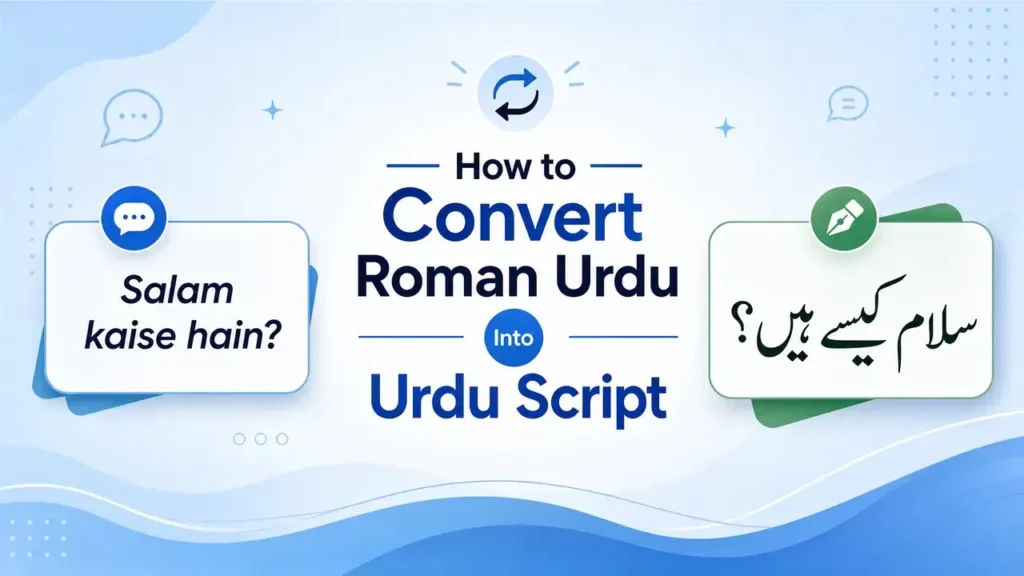
Transliteration changes the writing system but keeps the same language and meaning. It converts words from Roman Urdu into the Urdu script without translating them into another language. For example, “Mera naam Ali hai” becomes “میرا نام علی ہے۔” The sentence stays in Urdu. Only the script changes.
This process follows the sounds of the original words. Modern transliteration tools use Natural Language Processing (NLP) and language models to choose the correct Urdu characters. This improves accuracy, especially when a Roman Urdu word has several possible spellings.
What Is Translation?
Translation changes one language into another. It focuses on meaning instead of script. For example, “میرا نام علی ہے۔” translates into English as “My name is Ali.” The words, grammar, and sentence structure may change, but the message stays the same.
Translation helps people understand content written in a different language. It does not preserve the original script.
Real Examples
The difference becomes clear with simple examples:
- Roman Urdu: Aap kaise hain?
- Transliteration: آپ کیسے ہیں؟
- Translation: How are you?
Another example:
- Roman Urdu: Shukriya
- Transliteration: شکریہ
- Translation: Thank you
These examples show that transliteration changes the script, while translation changes the language.
Which One Do You Need?
Choose transliteration if you already speak Urdu but want to write it in the correct Urdu script. It works best for typing, publishing, education, and official documents.
Choose translation if your readers do not understand Urdu. It helps you communicate with people who speak another language.
If your goal is how to convert Roman Urdu into Urdu script, you need transliteration, not translation. Understanding this difference helps you select the right tool and produce accurate Urdu text.
How to Convert Roman Urdu Into Urdu Script
Method 1 – AI-Based Conversion
AI-based conversion is one of the fastest and most accurate ways to convert Roman Urdu into Urdu script. Unlike simple converters, AI studies the entire sentence before choosing Urdu words. It looks at spelling, grammar, and context to produce better results.
For example, if you type “Mera dost kal aya tha,” AI analyzes the complete sentence before converting it into Urdu script. This reduces spelling errors and improves readability. Modern AI systems use Natural Language Processing (NLP), Machine Learning, and large language models to understand how Urdu works. These technologies continue to improve through research and real-world language data. Organizations like OpenAI and the Center for Research in Urdu Language Processing (CRULP) have contributed to advances in AI-powered language processing and Urdu computing.
Benefits
AI offers several advantages over traditional converters:
- Understands the meaning of complete sentences.
- Handles different Roman Urdu spellings.
- Produces more natural Urdu text.
- Reduces manual editing.
- Converts paragraphs within seconds.
- Supports students, writers, businesses, and content creators.
- Learns from language patterns to improve accuracy.
These features make AI a reliable choice for both personal and professional use.
Limitations
AI still has a few limits. Roman Urdu has no official spelling standard, so unusual spellings may confuse the system. Local dialects, slang, and mixed English-Urdu sentences can also reduce accuracy. AI may occasionally choose the wrong Urdu word when several words sound alike.
For this reason, always review the converted text before publishing or sharing it. A quick proofread helps you catch small mistakes and ensures the final Urdu script reads naturally and accurately.
Method 2 – Online Roman Urdu Converters
Online How to Convert Roman Urdu Into Urdu Script offer a simple way to convert Roman Urdu into Urdu script. You do not need to install software or learn Urdu typing. Most tools work directly in your web browser. You only need to paste your text and start the conversion.
These converters suit students, bloggers, writers, and anyone who needs quick Urdu text. Many popular platforms also support Unicode, so the converted text works across websites, documents, and mobile devices.
How They Work
Most online converters use transliteration instead of translation. They read the Roman Urdu input and match it with Urdu characters. Basic tools rely on predefined word lists and character mapping. Advanced tools use Natural Language Processing (NLP) and language models to understand the context of a sentence before selecting the correct Urdu words.
For example, when you type “Allah Hafiz”, the converter changes it to “اللہ حافظ” instead of translating it into another language. Reliable converters also support Unicode (UTF-8) encoding. This keeps Urdu text readable on modern devices and operating systems.
Pros
Online Roman Urdu converters provide several benefits:
- Free to use in many cases.
- No software installation required.
- Works on computers and smartphones.
- Converts text within seconds.
- Supports Unicode Urdu text.
- Easy for beginners.
- Useful for emails, blogs, and social media posts.
Cons
Online converters also have a few drawbacks. Basic tools may convert words one by one instead of understanding the full sentence. This can produce incorrect spellings or unnatural Urdu. Some tools struggle with slang, regional words, and mixed English-Urdu text. Others limit the amount of text you can convert at once.
For the best results, choose a converter that uses AI or context-aware language processing. Always proofread the final Urdu text before publishing or sharing it.
Method 3 – Google Input Tools
Google Input Tools helps you type Urdu with English letters. It converts Roman Urdu into Urdu script as you type. You do not need to memorize the Urdu keyboard layout. This makes it a popular choice for beginners and regular Urdu users.
Unlike many basic converters, Google Input Tools focuses on live typing. It suggests Urdu words while you write. You can choose the correct suggestion with a single click or key press. This saves time and improves typing speed.
Setup
Getting started is simple. Open Google Input Tools and select Urdu as your typing language. If you use a supported version or an available input method, switch to the Urdu keyboard before typing. Then, write Urdu words with English letters.
For example, type “Pakistan” and the tool suggests “پاکستان”. Type “Shukriya” and it suggests “شکریہ”. The tool converts your text instantly into the Urdu script.
Typing Process
Start typing exactly as you pronounce the Urdu words. The tool analyzes each word and displays matching Urdu suggestions. Select the correct option and continue writing. As you type more words, the suggestions become more accurate because the tool uses the surrounding context.
This method works well for emails, documents, blog posts, and social media updates. It also helps new users learn Urdu spelling through regular practice.
Accuracy
Google Input Tools delivers good accuracy for common Urdu words and everyday sentences. It performs best when you use clear and consistent Roman Urdu spellings. However, it may struggle with slang, local dialects, uncommon names, or creative spellings.
Google’s input technology uses language models and large dictionaries to improve word suggestions. Even so, you should review the final text before publishing. A quick proofread helps you catch spelling choices and ensures your Urdu script looks natural and professional.
Method 4 – Urdu Keyboard Apps
Urdu keyboard apps provide another easy way to How to Convert Roman Urdu Into Urdu Script. They work on both mobile phones and computers. Most apps let you type Urdu with English letters and instantly display the text in the Urdu script. This feature helps users who know Urdu but cannot type with a traditional Urdu keyboard.
Many keyboard apps also support Unicode, which keeps your Urdu text readable across websites, messaging apps, and documents. Some apps even suggest words, correct spelling, and save frequently used phrases to improve your typing speed.
Mobile
Urdu keyboard apps are popular on Android and iPhone devices. After installing the app, add the Urdu keyboard from your phone’s keyboard settings. Then, switch to the Urdu keyboard whenever you want to type.
Most apps How to Convert Roman Urdu Into Urdu Script in real time. For example, typing “Aap kahan hain” produces “آپ کہاں ہیں” within seconds. This makes chatting on WhatsApp, Facebook, Instagram, and email fast and convenient. Many apps also include voice typing, emoji support, and predictive text for a better experience.
Desktop
Desktop Urdu keyboards work on Windows and macOS. Some install as standalone software, while others integrate with your operating system. You can also use web-based Urdu keyboards if you prefer not to install anything.
Desktop keyboards suit writers, students, bloggers, and professionals who create longer documents. They make it easier to write articles, reports, and presentations in Urdu. Many also support Nastaliq fonts and popular word processors, which helps you produce clean and professional documents.
Choose a trusted keyboard app from a reliable developer. Keep the app updated and proofread your text before sharing it. This simple habit improves accuracy and ensures natural Urdu writing.
Method 5 – Manual Transliteration
Manual transliteration gives you full control over the conversion process. Instead of relying on software, you change each Roman Urdu word into the correct Urdu script yourself. This method takes more time, but it often produces the most accurate results. It also helps you learn the Urdu writing system and improve your spelling skills.
Manual transliteration works best for important documents, educational content, books, and professional writing. It also helps when online converters cannot recognize uncommon words, names, or regional expressions.
Step-by-Step Process
Start by reading the Roman Urdu sentence carefully. Understand its meaning before writing anything. Then, convert each word into the correct Urdu spelling.
For example:
- Roman Urdu: Mera naam Ali hai.
- Urdu Script: میرا نام علی ہے۔
Next, read the complete Urdu sentence. Check whether it sounds natural and matches the original message. If a word looks incorrect, replace it with the proper Urdu spelling.
Character Mapping
Character mapping connects Roman Urdu letters with Urdu characters. Many sounds have simple matches, while others need special attention.
Here are a few common examples:
| Roman Urdu | Urdu Character |
| a | ا / ع (depends on context) |
| b | ب |
| p | پ |
| t | ت |
| k | ک |
| kh | خ |
| sh | ش |
| ch | چ |
| gh | غ |
Remember, one Roman spelling can represent different Urdu words. Always use the sentence to decide the correct character.
Proofreading Tips
Proofreading is the final and most important step. Read your Urdu text slowly from right to left. Check spelling, punctuation, and word order. Make sure every word matches the original meaning.
If possible, compare your writing with a trusted Urdu dictionary or official publication. You can also use an AI tool or a reliable Urdu editor for a second review. A careful proofread removes small errors and creates clear, natural, and professional Urdu text.
Step-by-Step Examples
The best way to learn how to convert Roman Urdu into Urdu script is through real examples. Each example below explains how Roman Urdu words map to the correct Urdu script. Remember, this process is called transliteration because it changes the script, not the language.
Example 1
Input:
Mera naam Ali hai
Output:
میرا نام علی ہے۔
Word-by-word explanation:
| Roman Urdu | Urdu Script | Meaning |
| Mera | میرا | My |
| Naam | نام | Name |
| Ali | علی | Ali (Name) |
| Hai | ہے | Is |
Example 2
Input:
Aap kaise hain
Output:
آپ کیسے ہیں؟
| Roman Urdu | Urdu Script | Meaning |
| Aap | آپ | You |
| Kaise | کیسے | How |
| Hain | ہیں | Are |
Example 3
Input:
Allah Hafiz
Output:
اللہ حافظ
| Roman Urdu | Urdu Script | Meaning |
| Allah | اللہ | Allah |
| Hafiz | حافظ | Protector / Goodbye |
Example 4
Input:
Shukriya
Output:
شکریہ
| Roman Urdu | Urdu Script | Meaning |
| Shukriya | شکریہ | Thank you |
Example 5
Input:
Main theek hoon
Output:
میں ٹھیک ہوں۔
| Roman Urdu | Urdu Script | Meaning |
| Main | میں | I |
| Theek | ٹھیک | Fine |
| Hoon | ہوں | Am |
Example 6
Input:
Tum kahan ja rahe ho
Output:
تم کہاں جا رہے ہو؟
| Roman Urdu | Urdu Script | Meaning |
| Tum | تم | You |
| Kahan | کہاں | Where |
| Ja | جا | Go |
| Rahe | رہے | Going |
| Ho | ہو | Are |
Example 7
Input:
Kal milte hain
Output:
کل ملتے ہیں۔
| Roman Urdu | Urdu Script | Meaning |
| Kal | کل | Tomorrow / Yesterday* |
| Milte | ملتے | Meet |
| Hain | ہیں | Are |
*The meaning of “Kal” depends on the sentence context.
Example 8
Input:
Mujhe Urdu pasand hai
Output:
مجھے اردو پسند ہے۔
| Roman Urdu | Urdu Script | Meaning |
| Mujhe | مجھے | Me |
| Urdu | اردو | Urdu |
| Pasand | پسند | Like |
| Hai | ہے | Is |
Example 9
Input:
Yeh kitab bohat achi hai
Output:
یہ کتاب بہت اچھی ہے۔
| Roman Urdu | Urdu Script | Meaning |
| Yeh | یہ | This |
| Kitab | کتاب | Book |
| Bohat | بہت | Very |
| Achi | اچھی | Good |
| Hai | ہے | Is |
Example 10
Input:
Khuda aap ko khush rakhe
Output:
خدا آپ کو خوش رکھے۔
| Roman Urdu | Urdu Script | Meaning |
| Khuda | خدا | God |
| Aap | آپ | You |
| Ko | کو | To |
| Khush | خوش | Happy |
| Rakhe | رکھے | Keep |
These examples show that accurate transliteration depends on both spelling and context. A single How to Convert Roman Urdu Into Urdu Script word can have different meanings, so always read the complete sentence before converting it into Urdu script. With regular practice, you will recognize common patterns and produce more accurate Urdu writing.
Roman Urdu to Urdu Character Mapping
Character mapping is the foundation of Roman Urdu to Urdu transliteration. It connects English letters and letter combinations with Urdu characters. This process helps you convert Roman Urdu into Urdu script more accurately.
Unlike English, Roman Urdu has no official spelling rules. The same Urdu sound may appear in different Roman forms. Good transliteration tools use character mapping first. Then, they use context to choose the correct Urdu word. Learning these common mappings will improve your typing and reduce conversion errors.
Vowels
Vowels can change based on their position in a word. The same Roman vowel may map to different Urdu characters.
| Roman Urdu | Urdu Character | Example |
| a | ا، ع، َ | Ali → علی |
| aa | آ، ا | Aam → آم |
| i | اِ، ی | Is → اِس |
| ee | ی | Meetha → میٹھا |
| e | ے، ی | Mere → میرے |
| ai | ے | Bhai → بھائی |
| o | و، ُ | Dost → دوست |
| oo | و | School → سکول |
| u | اُ، و | Urdu → اردو |
| au | او | Aur → اور |
Consonants
Most consonants have direct Urdu equivalents, but some sounds need two Roman letters.
| Roman Urdu | Urdu Character | Example |
| b | ب | Bacha → بچہ |
| p | پ | Pani → پانی |
| t | ت | Talib → طالب |
| tt | ٹ | Tamatar → ٹماٹر |
| th | تھ | Thanda → ٹھنڈا |
| j | ج | Jahan → جہاں |
| ch | چ | Chai → چائے |
| h | ہ | Hai → ہے |
| kh | خ | Khana → کھانا |
| d | د | Dil → دل |
| dd | ڈ | Daal → ڈال |
| dh | دھ | Dhan → دھن |
| r | ر | Rasta → راستہ |
| rr | ڑ | Larra → لڑا |
| z | ز | Zameen → زمین |
| zh | ژ | Zhaleh → ژالہ |
| s | س | Salam → سلام |
| sh | ش | Shukriya → شکریہ |
| gh | غ | Ghar → گھر |
| f | ف | Phool → پھول |
| q | ق | Quran → قرآن |
| k | ک | Kitab → کتاب |
| g | گ | Ghar → گھر |
| l | ل | Larki → لڑکی |
| m | م | Mera → میرا |
| n | ن | Naam → نام |
| ng | نگ | Rang → رنگ |
| w | و | Watan → وطن |
| v | و | Video → ویڈیو |
| y | ی | Yeh → یہ |
Difficult Sounds
Some Urdu sounds have no exact English equivalent. These sounds often confuse beginners.
| Roman Urdu | Urdu Character | Example |
| kh | خ | Khwab → خواب |
| gh | غ | Ghalat → غلط |
| q | ق | Qalam → قلم |
| x | خ (informal) | Xana → خانہ |
| zh | ژ | Zhob → ژوب |
| rr | ڑ | Gaari → گاڑی |
| tt | ٹ | Tota → ٹوٹا |
| dd | ڈ | Dabba → ڈبہ |
These sounds require practice because small spelling changes can produce different Urdu words.
Multiple Spellings
Roman Urdu does not follow one standard spelling. Different people write the same word in different ways. Modern AI converters use context to identify the intended Urdu word.
| Roman Urdu Variations | Urdu Script |
| acha, acha, accha, achaa | اچھا |
| shukriya, shukria | شکریہ |
| khuda, khoda | خدا |
| mera, meraa | میرا |
| bohat, bahut, bohut | بہت |
| kyu, kyun, kiun | کیوں |
| hain, hen, hainn | ہیں |
| nahi, nahin, nai | نہیں |
| mujhe, muje | مجھے |
| aap, ap | آپ |
| yahan, yahaan | یہاں |
| wahan, wahaan | وہاں |
| dost, dhost | دوست |
| zindagi, zendagi | زندگی |
| kitab, kitaab | کتاب |
Character mapping provides a strong starting point, but it cannot solve every conversion challenge. Accurate How to Convert Roman Urdu Into Urdu Script also depends on pronunciation, grammar, and sentence context. That is why modern AI-based transliteration tools combine character mapping with Natural Language Processing (NLP) to produce more natural and reliable Urdu text.
Common Roman Urdu Spellings
How to Convert Roman Urdu Into Urdu Script has no official spelling standard. People write words the way they hear or pronounce them. As a result, the same Urdu word often appears in several Roman Urdu forms. This is one of the biggest challenges when you convert Roman Urdu into Urdu script.
For example, one person may write “acha,” while another writes “accha” or “achaa.” Although the spellings look different, they all represent the same Urdu word: “اچھا”.
Modern Roman Urdu converters and AI-powered transliteration tools do not rely only on letter matching. They also examine the sentence to identify the intended word. This approach improves accuracy and reduces conversion mistakes.
Common Roman Urdu Variations
| Roman Urdu Spellings | Urdu Script | Why They Match |
| acha, accha, achaa | اچھا | Double letters and extra vowels show pronunciation only. |
| shukriya, shukria | شکریہ | Both represent the same spoken word. |
| bohat, bahut, bohut | بہت | Regional pronunciation creates different spellings. |
| mera, meraa | میرا | Extra “a” shows a longer vowel sound. |
| nahi, nahin, nai | نہیں | Users shorten or simplify the spelling. |
| kyun, kyu, kiun | کیوں | Different typing habits produce the same word. |
| yahan, yahaan | یہاں | Extra vowels do not change the meaning. |
| wahan, wahaan | وہاں | Both follow the same pronunciation. |
| mujhe, muje | مجھے | Many users skip silent letters. |
| tum, tm | تم | Informal texting removes vowels for speed. |
| allah, Allah | اللہ | Capital letters do not affect Urdu conversion. |
| khuda, khoda | خدا | Accent differences change the Roman spelling. |
| zindagi, zendagi | زندگی | Regional speech influences vowel choice. |
| kitab, kitaab | کتاب | Double vowels indicate a longer sound. |
| dost, dhost | دوست | Some writers add extra letters to reflect pronunciation. |
Why They Produce the Same Urdu Word
Roman Urdu focuses on pronunciation instead of fixed spelling rules. People type words based on their accent, education, or personal habit. They may also shorten words while chatting on WhatsApp or social media.
How to Convert Roman Urdu Into Urdu Script, so different Roman Urdu spellings often map to one correct Urdu word. For example, “acha,” “accha,” and “achaa” all become “اچھا” because they represent the same sound and meaning.
This is why context matters. Modern AI-based transliteration tools use Natural Language Processing (NLP) to analyze the complete sentence before selecting the correct Urdu spelling. This produces more accurate and natural results than simple letter-by-letter conversion.
Why Roman Urdu Has No Standard Spelling
How to Convert Roman Urdu Into Urdu Script has become a popular way to write Urdu with English letters. Millions of people use it every day on phones and computers. Yet, Roman Urdu has no official spelling rules. No language authority has published a standard writing system for it. As a result, people spell the same word in different ways. This creates challenges for readers and Roman Urdu to Urdu converters.
Regional Differences
People across Pakistan and other Urdu-speaking communities speak Urdu with different accents. Local languages such as Punjabi, Sindhi, Pashto, Balochi, and Saraiki also influence pronunciation.
For example, one person may write “bahut,” while another writes “bohat” or “bohut.” All three spellings represent “بہت” in Urdu script.
Pronunciation Differences
People often spell words exactly as they pronounce them. Fast speech, local accents, and personal speaking styles create many spelling variations.
For example, the Urdu word “اچھا” may appear as “acha,” “accha,” or “achaa.” Although the spellings differ, they all represent the same spoken word. Modern AI transliteration tools study the sentence instead of relying only on individual letters.
English Influence
Writers often combine letters to match Urdu pronunciation. Sounds like “خ,” “غ,” “ٹ,” and “ڑ” have no exact English equivalent. People solve this problem by using combinations such as kh, gh, tt, and rr.
English texting habits also shape Roman Urdu. Many users shorten words or skip vowels to type faster.
Personal Typing Habits
Every person develops a unique typing style. Some people add extra vowels to show longer sounds. Others remove letters to save time. For example, “nahi,” “nahin,” and “nai” all refer to “نہیں.” Likewise, “kyun,” “kyu,” and “kiun” all represent “کیوں.”
These personal habits make How to Convert Roman Urdu Into Urdu Script flexible but inconsistent. That is why accurate Roman Urdu to Urdu conversion depends on context, grammar, and pronunciation rather than simple letter matching. Modern Natural Language Processing (NLP) models improve accuracy by analyzing the complete sentence before selecting the correct Urdu spelling.
Best Roman Urdu to Urdu Converter Tools
Choosing the right tool can make How to Convert Roman Urdu Into Urdu Script to Urdu conversion faster and more accurate. Some tools focus on simple character mapping, while others use Artificial Intelligence (AI) and Natural Language Processing (NLP) to understand the context of a sentence. The best choice depends on your needs, whether you want to chat, write articles, prepare documents, or learn Urdu.
The table below compares some of the most trusted Roman Urdu to Urdu converter tools.
| Tool | Overview | Features | Accuracy | AI Support | Free or Paid | Best For | Pros | Cons |
| ChatGPT | AI-powered assistant that converts Roman Urdu into natural Urdu script. | Context-aware transliteration, sentence correction, grammar help, explanations. | Excellent | ✅ Yes | Free & Paid | Writers, students, bloggers, professionals. | Understands context, handles spelling variations, improves grammar. | Requires internet. Results still need proofreading. |
| Google Translate | Popular translation service with Urdu support. | Text translation, transliteration, voice input, mobile app. | Good | ✅ Yes | Free | Everyday users and travelers. | Fast and easy to use. Supports many languages. | May mistranslate complex or informal Roman Urdu. |
| Google Input Tools | Urdu typing tool that converts Roman Urdu while you type. | Live transliteration, word suggestions, Unicode support. | Very Good | Limited AI | Free | Daily Urdu typing. | Fast typing experience. Easy for beginners. | Focuses on typing instead of full text conversion. |
| Microsoft Translator | Translation platform with Urdu language support. | Text translation, voice translation, mobile apps. | Good | ✅ Yes | Free | Business and general communication. | Works across Microsoft products. | Better for translation than transliteration. |
| CRULP Tools | Urdu language resources developed by the Center for Research in Urdu Language Processing. | Urdu keyboard, language resources, research tools. | Very Good | Research-based | Mostly Free | Researchers, developers, students. | Built specifically for Urdu language computing. | Interface may feel technical for beginners. |
| Rekhta | Digital platform dedicated to Urdu language and literature. | Urdu dictionary, transliteration, poetry, learning resources. | Very Good | Limited | Free | Urdu learners and literature lovers. | Excellent educational content. Reliable Urdu spellings. | Not designed as a full-featured converter. |
| Lexilogos | Online language portal with Urdu typing tools. | Virtual keyboard, language resources, Unicode support. | Good | No | Free | Occasional Urdu typing. | No installation required. Simple interface. | Limited smart suggestions. |
| InPage | Professional Urdu publishing software. | Nastaliq fonts, page layout, Urdu editing, publishing tools. | Excellent | No | Paid | Publishers, designers, newspapers. | Industry standard for professional Urdu documents. | Requires installation and learning time. |
| Pak Urdu Installer | Urdu language package for Windows users. | Urdu keyboard, Unicode fonts, typing support. | Very Good | No | Free | Windows users. | Easy Urdu typing across applications. | Does not provide advanced AI conversion. |
Which Tool Should You Choose?
Your choice depends on your purpose.
- Choose ChatGPT if you want the most natural How to Convert Roman Urdu Into Urdu Script to Urdu conversion with grammar and context support.
- Use Google Input Tools for fast Urdu typing.
- Pick Google Translate or Microsoft Translator for basic translation and simple transliteration.
- Explore CRULP if you need reliable Urdu language resources or academic tools.
- Use Rekhta to improve your Urdu vocabulary and spelling.
- Select InPage for professional publishing and high-quality Nastaliq documents.
- Install Pak Urdu Installer if you want a free Urdu typing solution for Windows.
No tool delivers perfect results every time. How to Convert Roman Urdu Into Urdu Script has many spelling variations, so always proofread the converted text before using it in academic, professional, or published content.
AI How to Convert Roman Urdu Into Urdu Script
Artificial Intelligence (AI) has transformed How to Convert Roman Urdu Into Urdu Script to Urdu conversion. Older converters matched letters one by one. Modern AI goes much further. It studies the complete sentence before selecting the correct Urdu words. This approach improves spelling, grammar, and readability.
AI combines several technologies to understand how people write Roman Urdu. These technologies work together to produce natural Urdu script, even when the input contains spelling variations. Research by the Center for Research in Urdu Language Processing (CRULP) and recent advances in AI language models have significantly improved Urdu transliteration.
Natural Language Processing (NLP)
Natural Language Processing (NLP) helps computers understand human language. It analyzes words, grammar, and sentence structure instead of looking at letters alone.
For example, people may write “acha,” “accha,” or “achaa.” NLP recognizes that these spellings represent the same Urdu word, “اچھا.” This makes the conversion more accurate.
Language Models
Language models learn from large collections of text. They recognize common writing patterns and predict the most suitable Urdu word.
Instead of converting every letter, a language model studies the whole sentence. This helps it produce smoother and more natural Urdu. Modern AI systems, including those developed by OpenAI, use advanced language models to improve text generation and language understanding.
Machine Learning
Machine Learning allows AI systems to improve through experience. Developers train these systems with thousands of Roman Urdu and Urdu sentence pairs. The model learns how words, phrases, and grammar relate to each other.
As training data grows, the system becomes better at handling new spellings, uncommon words, and everyday conversations.
Neural Machine Translation
Neural Machine Translation (NMT) uses deep learning to understand complete sentences. Although NMT mainly supports language translation, its underlying neural networks also improve Roman Urdu transliteration by recognizing word relationships and sentence structure.
This technology helps AI choose the correct Urdu word instead of relying only on character matching.
Text Normalization
People rarely follow one spelling style in Roman Urdu. Text normalization prepares the input before conversion. It identifies different spellings of the same word and treats them as one standard form.
For example, “bohat,” “bahut,” and “bohut” all represent “بہت.” This step reduces errors and improves consistency.
Context Recognition
Context recognition is one of the biggest strengths of modern AI. Instead of reading words in isolation, AI examines the surrounding sentence to understand the intended meaning.
For example, the Roman Urdu word “kal” can mean “کل” for either yesterday or tomorrow. AI looks at nearby words and grammar before selecting the correct meaning. This ability makes AI-powered converters far more reliable than traditional rule-based systems.
Although AI delivers excellent results, no system is perfect. Always proofread the final Urdu text before publishing, especially when writing academic, legal, or professional content.
Unicode and Urdu Script
Unicode plays a vital role in modern Urdu writing. It allows computers, smartphones, and websites to display How to Convert Roman Urdu Into Urdu Script text correctly. Without Unicode, many devices would show broken characters or unreadable symbols instead of Urdu words.
If you want to How to Convert Roman Urdu Into Urdu Script into Urdu script, you should always use Unicode-supported text. It ensures your Urdu content stays readable across different platforms and software. The Unicode Consortium maintains the Unicode Standard and assigns a unique code to every Urdu character.
UTF-8
UTF-8 is the most widely used Unicode encoding format on the internet. It stores Urdu, English, Arabic, and many other languages in a single standard.
Most websites, blogs, and content management systems use UTF-8 because it supports multilingual text. When you save Urdu content in UTF-8, readers can view it correctly on computers, tablets, and mobile phones without installing special software.
Unicode
Unicode is a global standard for digital text. It gives every character a unique number, called a code point. This unique value allows different operating systems and applications to recognize the same Urdu character.
For example, the Urdu letter “م” has one Unicode value. Every Unicode-compatible device displays it consistently. This standard makes Urdu typing, searching, copying, and sharing reliable.
Character Encoding
Character encoding tells a computer how to store and display text. Without proper encoding, Urdu characters may appear as random symbols or question marks.
Modern How to Convert Roman Urdu Into Urdu Script to Urdu converters generate Unicode text instead of image-based text. This allows users to edit, search, copy, and index Urdu content easily. Search engines also read Unicode text more effectively, which improves accessibility and supports better search visibility.
Why Fonts Matter
Urdu commonly uses Nastaliq and Naskh fonts. Nastaliq offers a traditional and elegant appearance. Books, newspapers, and magazines often use this style. Naskh has a simpler design that works well on websites, mobile apps, and user interfaces.
Choose Unicode-compatible Urdu fonts for the best results. They improve readability and ensure your text displays correctly across browsers, devices, and operating systems. This creates a better experience for readers and helps maintain a professional appearance.
Urdu Fonts
Fonts play an important role in how Urdu text looks on a screen or paper. A good font improves readability and gives your content a professional appearance. It does not change the words or their meaning. It only changes their visual style.
After you convert Roman Urdu into Urdu script, choosing the right font helps readers enjoy a better reading experience. Most modern websites, mobile apps, and word processors support Unicode Urdu fonts, which display Urdu text consistently across different devices.
Nastaliq
Nastaliq is the traditional writing style for Urdu. It features flowing letters and graceful curves that give Urdu its distinctive appearance. Most Urdu newspapers, books, magazines, and poetry collections use Nastaliq because it reflects the language’s literary heritage.
Nastaliq works well for printed material and formal publications. It creates an elegant reading experience, but its complex letter shapes require proper font support.
Naskh
Naskh is another widely used Urdu font style. It has a cleaner and more structured design than Nastaliq. Many websites, mobile apps, and digital interfaces use Naskh because it displays clearly on screens of all sizes.
Although Naskh looks different, it represents the same Urdu language. Many users prefer it for online reading because its letters remain sharp and easy to recognize.
Unicode Fonts
Unicode fonts follow the Unicode Standard, developed by the Unicode Consortium. These fonts display Urdu characters correctly across different operating systems, browsers, and applications.
Popular Unicode Urdu fonts include Noto Nastaliq Urdu, Jameel Noori Nastaleeq, Mehr Nastaliq, and Noto Naskh Arabic. These fonts support proper Urdu characters and help maintain consistent formatting when you share documents or publish content online.
Font Compatibility
Not every Urdu font works equally well on every device. Older, non-Unicode fonts may display broken text or unreadable characters when shared with others. They can also create problems while copying, searching, or editing text.
Always choose a Unicode-compatible font for websites, documents, and digital content. Test your Urdu text on different browsers and devices before publishing. This simple step ensures every reader sees the correct script, regardless of the platform they use. It also improves accessibility and creates a more professional user experience.
Conclusion
Converting How to Convert How to Convert Roman Urdu Into Urdu Script Into Urdu Script into Urdu script is easier than ever. Modern AI tools, online converters, and Urdu keyboard apps make the process fast and accessible. However, the best results come from understanding how Urdu works instead of relying only on technology.
How to Convert Roman Urdu Into Urdu Script offers convenience for daily communication, but Urdu script provides accuracy, consistency, and a professional appearance. It preserves the language’s rich literary tradition and ensures your writing remains clear across books, websites, documents, and digital platforms.
Whether you are a student, writer, blogger, researcher, or business owner, learning the basics of Urdu transliteration will improve your writing skills. It will also help you choose the right converter, spot common errors, and produce natural Urdu text.
AI-powered tools continue to improve through advances in Natural Language Processing (NLP) and Machine Learning. Even so, human proofreading remains essential. A quick review ensures the final text reflects the correct spelling, grammar, and meaning.
Now that you understand how to convert Roman Urdu into Urdu script, you can confidently choose the method that fits your needs. Practice regularly, use trusted Unicode-supported tools, and always review your final output. These simple habits will help you create accurate, readable, and professional Urdu content every time.